
Introduction: Let’s Be Real for a Second
YouTube automation, you have probably seen the ads. You know the ones I am talking about. For example, a young person sips a coconut on a beach. Meanwhile, their phone pings every few minutes. Suddenly, another $1,000 just landed from YouTube. Sounds fake, right? It is not entirely fake. But it is also not magic.
So, welcome to the real world of YouTube automation.
To begin with, I will cut the fluff right now. YouTube automation is not a “get rich quick” button. Instead, it is a smart system. You build it. Then, you tweak it. After that, you let it work for you. Above all, you actually need to know what you are doing.
Consequently, I wrote this guide for you. You will learn the real steps. Additionally, you will avoid the common traps. Plus, I will answer your burning questions at the end.
Ready? Let us start from the very top.
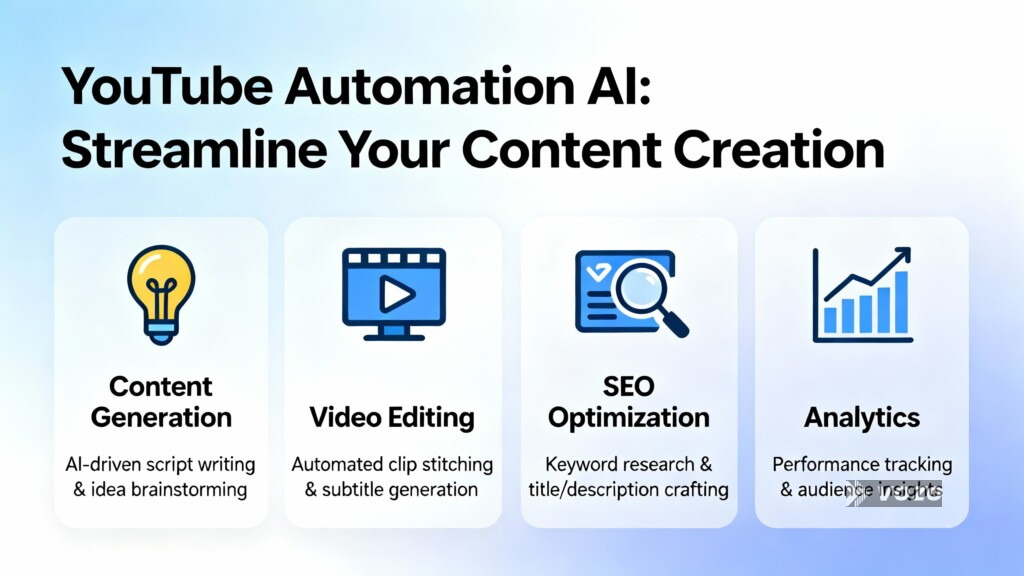
What Exactly Is YouTube Automation? (In Plain English)
Let me break this down.
In other words, YouTube automation means you run a channel without showing your face. You also do not need to edit every video yourself. Likewise, you do not need to write every script either. Instead, you hire people or use tools. These people handle the hard tasks.
So, what do you do? You act like the boss. For instance, you plan the big picture. Then, you pick the profitable niche. After that, you manage your small team.
For example, imagine a channel about amazing facts. First, you write a short brief. Then, a freelance writer turns it into a script. Next, a voice artist records the narration. After that, an editor adds stock footage and music. Finally, you upload the finished video. As a result, you did almost none of the manual work.
Consequently, you free up your time. Therefore, you can run multiple channels. Or, you can keep your day job. Meanwhile, the channel still grows. That is the beauty of automation.
But here is what you need to know first: YouTube’s rules still apply to you. For example, you cannot copy others’ work. Similarly, you cannot mislead viewers. In fact, automation does not mean “low quality.” On the contrary, it means the opposite. You pay people to create better content than you could alone.
YouTube automation Step 1: Choose a Profitable Niche (Do Not Skip This)
To start with, most beginners fail here. They pick a niche they like. That is fine. However, being alone does not pay bills.
Instead, you need three things:
- High demand (people search for it)
- Low competition (not too many big channels)
- Good monetization (ads pay well)
So, which niches work best for automation?
Let me share some real examples:
- Top 10 Facts – People love lists. As a result, the scripts are easy. You only need stock footage.
- History Explainer – Schools do not teach enough. Therefore, adults crave stories. Plus, ads pay well here.
- DIY & Life Hacks – These are short videos. They also have high watch time. Moreover, viewers share them a lot.
- Wealth & Mindset – This niche has high CPM (Cost Per Mille). That means more money per 1,000 views.
- Animal Stories – Everyone loves cute or wild animals. Consequently, low competition still exists here.
However, avoid gaming or vlogging. These niches need your face. They also rely on personality. Thus, automation rarely works there.
My advice: Spend one week researching. For instance, use YouTube’s search bar. Type a keyword. Then, look at the top videos. Can you make something better? Likewise, can you find stock footage easily? If yes, you found your niche.
Step 2: Set Up Your Channel Correctly (First Impressions Matter)
You cannot skip this step. After all, your channel is your storefront. A messy store sells nothing.
So, let us do it right from day one.
First, create a brand name. Keep it short. Also, make it easy to spell. For example, “Daily Discoveries” works better than “The Official Channel for Amazing Stuff You Never Knew Existed.”
Next, design professional art. Use Canva. It is free. Create a clean logo. Then, use the same colors everywhere. After that, make a banner that explains your value. For instance, write something like “New Amazing Facts Every Tuesday.”
Then, write your About section. Use keywords here. Tell YouTube what you do. For example: “We share unknown history stories. New video every Wednesday. No fluff. Just facts.”
Finally, add links. Link to your social media. Also, link to a website if you have one. This builds trust with YouTube’s algorithm.
Remember, YouTube is a search engine. Therefore, treat it like Google. Use keywords in your channel name, your About page, and later in your video titles.
Step 3: Build Your Production Workflow (The Real Automation)
Now we reach the core. Specifically, your workflow saves you time. A good workflow runs like a factory. For instance, each person does one job. Then, they pass it forward.
Here is a simple 5-step workflow you can copy today:
Step A: Topic Research – First, spend 1 hour. Then, find 10 trending topics. Use tools like VidIQ or TubeBuddy. Look for high search volume but low competition.
Step B: Scriptwriting – Next, hire a writer on Fiverr or Upwork. Pay 10–20 per script. Likewise, give them a clear brief. Example: “Write a 4-minute script about 5 dogs who saved lives. Use simple English. Add a hook in the first 10 seconds.”
Step C: Voiceover – After that, use a freelance voice artist. Pay 5–15 per video. Alternatively, try AI voices from ElevenLabs. But be careful. AI voices sound robotic sometimes. In contrast, real voices build trust faster.
Step D: Video Editing – Then, hire an editor. Pay 20–50 per video. Give them the script, the voiceover, and a folder of stock footage. Also, ask for captions and transitions. Many editors from the Philippines or Pakistan do excellent work for fair prices.
Step E: Thumbnail & Title – Finally, never skip this step. The best video fails with a bad thumbnail. Therefore, hire a thumbnail designer. Pay 5–10 per thumbnail. Use bright colors, big text, and a curious face (even if it is stock art).
Notice something? You did almost nothing. In fact, you only managed people. That is YouTube automation.
Transitioning to the next point: You cannot just upload and pray. Instead, you need a schedule.
Step 4: Create a Consistent Upload Schedule
YouTube loves patterns. Viewers also love patterns.
Therefore, pick one day per week. Then, stick to it. For example, Tuesday works well. Thursday also works well. However, avoid weekends. Big channels dominate weekends.
To begin with, start with one video per week. Do not try daily videos yet. After all, quality beats quantity every time.
Then, schedule your videos. Use YouTube’s built-in scheduler. First, upload your video on Monday. Then, set it to go live on Tuesday at 10 AM. This gives YouTube time to process HD quality.
YouTube automation. What about video length? Aim for 4 to 8 minutes. Shorter videos hurt watch time. Likewise, longer videos scare new viewers. Consequently, 6 minutes is the sweet spot for automation channels.
Step 5: Optimize for Clicks and Watch Time
Here is where most automation channels die. They make good videos. However, nobody clicks. Or, people click and leave after 30 seconds.
Let us fix that right now.
For clicks (thumbnails and titles):
- Use power words like “Secret,” “Mistake,” “Never,” and “Actually.”
- Additionally, create curiosity gaps. Example: “Why 90% of Diets Fail (And 1 That Works)”
- Also, put faces on thumbnails. Even stock faces work. After all, humans look at faces automatically.
For watch time (first 30 seconds of your video):
- First, start with a strong hook. Say: “By the end of this video, you will never make this mistake again.”
- Next, tease a surprising fact. Example: “Most people think X. But the real answer is Y.”
- Finally, never start with “Hey guys, welcome back.” Viewers click away immediately.
For retention (middle of your video):
- Change scenes every 5 to 8 seconds.
- Also, use pattern interrupts. Add a sound effect. Flash a text on the screen.
- Moreover, tell a story. Facts alone bore people. In contrast, stories keep them watching.
Consequently, YouTube will promote your video. The algorithm loves high retention. However, it hates clicks with no watch time.
Step 6: Monetization and Scaling
First of all, you need 1,000 subscribers and 4,000 watch hours. That is YouTube’s gate. In other words, you cannot earn ad money before that.
So, how do you reach that faster?
First, promote each video on Pinterest. Yes, Pinterest. It is underrated. For example, create a pin for every video. Then, link back to YouTube. Pinterest drives slow but steady traffic.
Second, make playlists. Group related videos together. Playlists increase watch time massively. As a result, viewers watch video after video.
Third, ask people to subscribe. But do it naturally. For instance, say: “If you want more animal stories every Tuesday, hit that subscribe button.” Do not beg. Instead, ask once per video.
Once you join the YouTube Partner Program, you earn from ads. However, CPM varies. Finance niches pay 10–30 per 1,000 views. Meanwhile, entertainment pays 2–5.
But do not stop there. Additionally, add affiliate links in your description. Also, sell a digital product. Or, create a membership. After all, ad revenue is just the beginning.
Common Mistakes You Must Avoid
Let me save you months of frustration. Specifically, avoid these errors from day one.
Mistake #1: Using copyrighted content. YouTube’s system finds it immediately. As a result, your channel gets a strike. Three strikes and you’re gone. Therefore, always use royalty-free music and stock footage. Sites like Pixabay and Pexels are your friends.
Mistake #2: Ignoring audience comments. Automation does not mean ignoring people. Instead, reply to comments. Also, ask questions. Furthermore, build a community. YouTube notices engagement.
Mistake #3: Hiring the cheapest workers. A $5 editor from a random site ruins your channel. Instead, pay fair rates. First, test one video. Then, hire more. Good workers save you time. In contrast, bad workers waste your money.
Mistake #4: Quitting after 5 videos. Most channels fail because people stop. However, YouTube takes time. You might need 20 or 30 videos. Therefore, be patient. Above all, improve one thing every week.
Frequently Asked Questions (FAQ)
Q1: Do I need to show my face?
No. In fact, that is the whole point of automation. Instead, use stock footage, animations, or text on screen. Many successful faceless channels earn $10,000 per month.
Q2: How much money do I need to start?
You can start with 100to300 per month. For example, pay for one script, one voiceover, one edit, and one thumbnail per week. Then, as you earn, reinvest into more videos.
Q3: Is YouTube automation legal?
Yes, completely legal. However, do not steal content. Likewise, do not use misleading titles. Always follow YouTube’s terms of service. Automation refers to your workflow, not to bots or fake views.
Q4: How long until I see results?
Expect 3 to 6 months. For instance, your first 10 videos might get 100 views each. Then, video 11 suddenly gets 50,000 views. After all, YouTube works like a snowball. It starts slow, then grows fast.
Q5: Can I use AI for everything?
You can use AI for scripts, voiceover, and thumbnails. But I advise mixing AI with human editing. AI alone creates generic content. In contrast, human touch adds emotion and trust. Therefore, find the balance.
Q6: What if YouTube changes its rules?
Adapt. Successful automation channels always evolve. For example, stay updated. Also, join YouTube creator forums. Follow news about algorithm updates. Above all, do not put all your eggs in one basket.
Q7: Do I need an LLC or a business license?
Not at the start. Instead, begin as an individual. Once you earn consistently ($1,000+ per month), then form an LLC. However, talk to an accountant in your country first.
Q8: Can I outsource everything, including channel management?
Yes, but be careful. If someone else manages your channel, they could steal it. Therefore, keep ownership of your Google account. Never share your password. Instead, hire managers as contractors, not as co-owners.
Final Thoughts: YouTube automation: Your First Step Today
Finally, you now know exactly how to start YouTube automation. You have the roadmap. Additionally, you know the costs. Likewise, you understand the timeline.
So, what stops most people? Not knowledge. Instead, action stops them.
Here is your simple first step to YouTube automation: First, open a new tab. Then, search for a niche from Step 1. After that, watch five videos in that niche. Write down what works and what does not. Then, create a free YouTube channel. Name it. Finally, design a simple logo.
That takes 30 minutes. Therefore, do it today. Not tomorrow. Not next week.
Because here is the truth I learned after years of testing: The algorithm rewards consistency. It also rewards value. However, it does not reward perfectionism.
So, start messy. Start small. Then, automate step by step.
One year from now, you will thank yourself. Your automated channel might still be small. Or, it might be paying your rent. Either way, you will have learned more than 99% of people who only watched videos about automation.
Now go build something real. After all, your future viewers are waiting.