
Introduction
UberSuggest: Feeling lost in the world of SEO? You are not alone. Understanding search engines can be tough. But what if you had a friendly guide? A tool that makes everything simpler.
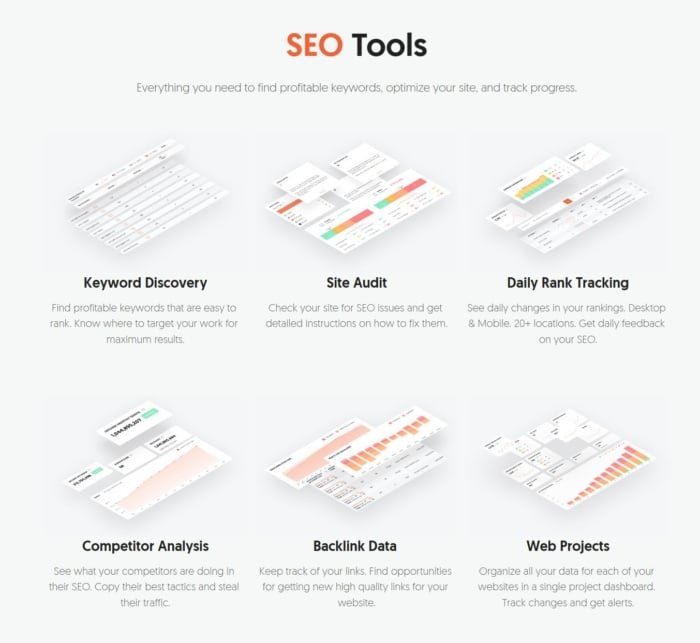
That guide is UberSuggest. It is an SEO tool made by marketer Neil Patel, bundles many features into one easy dashboard. It helps you find keywords, check your website’s health, and spy on competitors.
Additionally, this guide will show you how to use it. Then, we will walk through each feature step-by-step. You will learn how to get more traffic from Google. Let’s get started.
What is UberSuggest, Really?
Additionally, think of UberSuggest as your SEO helper. It is an all-in-one toolkit for your website, giving you the data you need to succeed online.
It started as a simple keyword tool. Now it does so much more. Moreover, it checks your site for errors, showing you what your competitors are doing. Then, it helps you find new content ideas. Best of all, it is very easy to use. You do not need to be an expert.
Your First Look at the Dashboard UberSuggest
Log in to UberSuggest. The main menu is on the left. You will see four key sections:
- Keyword Ideas: Firstly, find popular search terms.
- Site Audit: Secondly, check your website for problems.
- Traffic Analyzer: Thirdly, see how your competitors get traffic.
- Backlinks: Fourthly, discover who is linking to other websites.
Moreover, the home screen gives you a quick summary. You can see your website’s health score and top keywords. Do not feel overwhelmed. We will explore each part.
If you want to read about Ahrefs, click here.
Finding Great Keywords with Ease UberSuggest
Additionally, people search Google using keywords. Your goal is to find the right ones. These are the words your customers type in.
Step 1: Firstly, Start with a Basic Word
Type a simple word into the search bar. Pick your target country. For example, a dog trainer might type “dog training.”
Moreover, you will see a results page right away. It shows the search volume. This is how many people search for that word each month. Then, it also shows the SEO difficulty. This tells you how hard it is to rank for that word.
Step 2: Secondly, Discover New Keyword Ideas
Scroll down the page. You will find lists of new keywords. These lists are gold.
- Related Terms: Firstly, other words people search for, like “obedience training for dogs.”
- Questions: Secondly, things people ask, like “how to train a puppy?”
- Prepositions: Then, phrases like “dog training near me.”
Moreover, look for words with good search volume and low difficulty. These are your best bets. You can rank for them faster. Export your favorite keywords to a list. Then, use this list to plan your blog posts and web pages.
Giving Your Website a Health Check with UberSuggest
Additionally, is your website healthy? Google cares about this. A slow or broken site will not rank well.
The Site Audit feature is your website doctor. It checks for over 100 problems.
How to Run an Audit
Enter your website URL. UberSuggest will scan your entire site. It looks for broken links, slow pages, and bad meta tags. In a few minutes, you get a report. It gives your site a score out of 100.
How to Fix the Problems
Moreover, the report lists every issue it finds. It even tells you how to fix them. Issues are sorted by importance:
- Errors: Fix these first. They are serious problems.
- Warnings: These are important but less urgent.
- Notices: Then, these are small tweaks for later.
Furthermore, go through the errors one by one. Fixing them will make your site stronger. Then, Google will reward you with better rankings.
Learning from Your Competition
You do not have to guess what works. You can see what your competitors are doing. The Traffic Analyzer lets you spy on any website.
What to Look For
- Top Pages: Firstly, see which of their pages get the most traffic. This tells you what content people love. Can you write a better article on the same topic?
- Top Keywords: Secondly, find the exact keywords that send them traffic. You might find great keywords you missed.
- Backlink Gap: Thirdly, see which websites link to them but not to you. This gives you a list of places to contact for your own links.
This is not cheating. It is smart research. Use their success to plan your own strategy.
Understanding Backlinks
A backlink is when another website links to yours. Google sees these as votes of trust. More good backlinks usually mean higher rankings.
Additionally, UberSuggest has a Backlinks section. You can see all the websites linking to you. You can also see who links to your competitors.
Moreover, use this information. If a website links to your competitor, they might link to you, too. Then, you can reach out to them. This is called outreach. It is a key part of building a strong website.
Your Path to More Traffic
UberSuggest makes SEO simple. It puts powerful data in your hands. Then, you can stop guessing and start growing.
Start small. Try one feature today. Do a keyword search for your business. Or run a site audit.
Moreover, the key is to be consistent. Use the tool every week. You will learn more each time. Soon, you will see your website traffic grow. You have the power to succeed.
Frequently Asked Questions (FAQ)
1. Is UberSuggest free?
You can use a free version. It is great for trying things out. But it has daily limits. For full power, then, you need a paid plan. The paid plan gives unlimited searches and more data.
2. Is UberSuggest better than Ahrefs or SEMrush?
UberSuggest is easier for beginners. It is also cheaper. Ahrefs and SEMrush have bigger databases. But UberSuggest has more than enough for most websites. It is a perfect place to start.
3. How accurate is the SEO difficulty score?
It is a good estimate. A low score (under 30) means you can probably rank for it. A high score (over 70) means it will be very hard. Then, the score is based on the other websites already ranking for that word.
4. How often should I check my site audit?
Once a month is a good rule. If you add new content often, check it every two weeks. Then this helps you catch problems early.
5. Can I use it for my local business?
Yes! It is great for local SEO. When you search for keywords, use your city name. For example, “plumber in Chicago.” You can also audit your local business website and check local competitors.
6. What is a good Domain Score?
Domain Score measures website strength. It goes from 0 to 100. A new site starts at 0. A score over 50 is good. A score over 70 is excellent. You raise your score by getting good backlinks and writing great content.