
Learn React Native: How to Start & What You Need to Know in 2026
Do you want to build mobile apps for both iPhone and Android phones? Do you want to write code once and use it on both platforms? If yes, you are in the right place. React Native changed mobile development forever when it launched in 2015. Consequently, it lets web developers build real mobile apps using JavaScript and React. This guide will show you everything you need to start your journey. Moreover, we will also cover key ideas, tools, and best practices for 2026. Additionally, we will explore real-world examples and practical tips along the way.
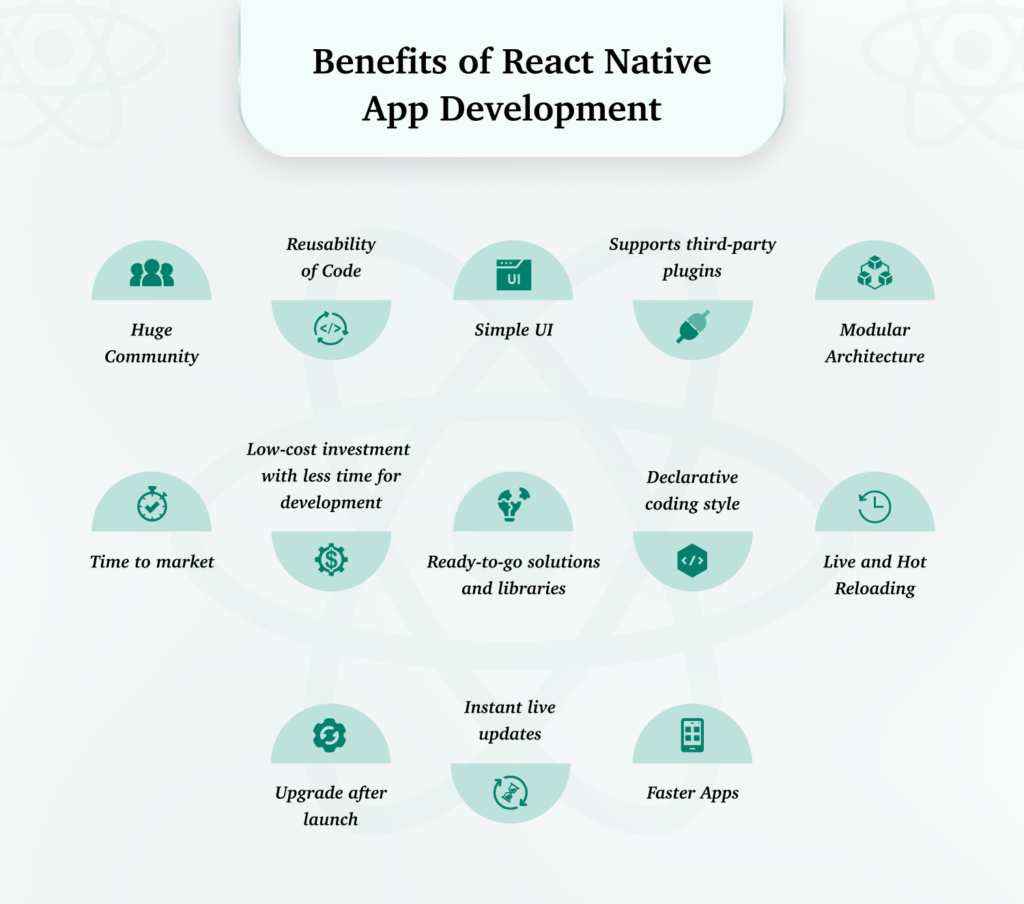
What is React Native?
Let’s start with the basics. First and foremost, what makes React Native so special? React Native is a tool that helps you build mobile apps with JavaScript and React. However, here is the cool part. It does not use webviews like hybrid apps. Instead, it creates real native components. Therefore, your app will look and work just like an app built with Swift or Kotlin. Furthermore, this approach gives you better performance and a smoother user experience overall.
The main idea is simple. Learn once, write anywhere. Consequently, if you already know React for the web, you can use that knowledge for mobile apps. Nevertheless, you still need to learn React Native’s own components and patterns. Besides that, you will also need to understand how mobile platforms differ from the web.
React vs. React Native
Here is something interesting. React and React Native share the same core ideas. Specifically, both use components, props, state, and JSX. However, the main difference is what they create on screen. In other words, the rendering targets are completely different.
React for the web creates typical HTML elements that you see in browsers. React Native creates native widgets that phones understand. For instance, a container on the web is like a simple box. On the other hand, on a phone, it becomes a real native view that the operating system provides. This is a key point to understand as you learn. Moreover, this native rendering is what gives React Native its speed and authentic feel.
What You Need to Know First
Let’s look at what you should know before you start. Fortunately, the good news is you do not need to be a mobile expert. Nonetheless, some basic knowledge will help you learn much faster. Besides that, having a solid foundation will save you time and frustration later.
JavaScript Basics
React Native uses modern JavaScript. Specifically, you should know how to write functions more concisely. You should also know how to pull values from objects and arrays easily. In addition, you need to understand how to copy and merge objects. Finally, you should know how to keep your code neat with modules.
In addition to these, you should also understand how to handle tasks that take time. For example, getting data from the internet or reading files.
React Basics
If you already know React, you are halfway there. More specifically, you need to understand how to build with components. You also need to know how to pass data between components. Finally, you need to know how to handle data that changes over time.
According to the official docs, state works the same in React and React Native. For instance, the tools for handling component data work in both places with no changes. Similarly, the tools for handling side effects work the same way.
How to Set Up Your Computer
Now it is time to set up your dev environment. In 2026, you have two main ways to start a React Native project. Both have their own advantages and use cases.
Option 1: Use Expo
For most beginners, Expo is the best choice. First of all, it hides a lot of the hard native setup. As a result, you can focus on writing JavaScript right away. Besides that, Expo provides many useful tools out of the box. For example, you get push notifications and asset management without extra work. You also get the ability to update your app without going through app stores.
Option 2: Use React Native CLI
If you need more control, you can use the React Native Community CLI. Specifically, this gives you full access to native code. However, you will need to do more setup work at the start. On the plus side, you can add any native library you want without restrictions. You can also write your own native code if needed.
Apps for Windows and Mac
Here is some good news. React Native now works on more than just phones. For instance, Microsoft helps support Windows and Mac apps. Therefore, you can use the same code for desktop apps too. Furthermore, this means your skills can target even more platforms. You can build for phones, tablets, and computers all from one codebase.
Similarly, for macOS development, you can follow the same pattern. This opens up even more opportunities for your apps.
Core Components You Must Learn
React Native has a set of core components. These are the building blocks for every app. Let’s look at the most important ones. Additionally, mastering these will let you build almost any user interface.
View and Text
The main container is the most basic building block. In many ways, it is like a box on the web. Specifically, it handles layout and touch events. Meanwhile, another component shows text on the screen. Besides that, text can be nested for rich formatting.
Image Component
To show pictures, you need a special component. Notably, it works with local files and web images. Furthermore, it supports various image formats and optimization features. You can also add effects and handle loading states.
Scrolling Content
For content that scrolls, you have two choices. First, use a simple scroller for short content. On the other hand, use a list component for long lists of data. The list is faster because it only loads what you see on screen. Besides performance, it also provides pull-to-refresh and infinite scrolling features.
Props and State Made Simple
Props and state are how data moves in React Native apps. Understanding these concepts is crucial for building dynamic applications.
Props Change How Components Look
Props let you change a component when you make it. Specifically, they are set by the parent and cannot be changed by the child. In other words, props are read-only. This makes your components more predictable and easier to debug. You can send text, numbers, or even functions through props.
State Handles Data That Changes
State is different from props. First of all, it lives inside the component. Secondly, it can change over time. There are special tools for adding state to a component. Besides that, you can have multiple state values in one component. Every time the state changes, the screen updates to show the new data.
How Styling Works
Styling in React Native is like CSS. However, you write it in JavaScript instead. This approach has both benefits and unique considerations.
The StyleSheet Way
The best way to add styles is with a special style creator. Using this creates optimized objects that work better with the native system. Besides that, it gives you validation and better error messages. Your styles are also kept separate from your layout code.
Flexbox Layout
React Native uses a layout system similar to the web. Essentially, it works like flexbox on the web. However, there is one big difference. The default direction is top to bottom, not left to right. This matches how mobile screens naturally scroll.
You can control how items line up in both directions. You can also control spacing and wrapping. In addition to these, you can use many other layout properties for complex designs.
New Stuff in React Native 0.84
React Native 0.84 came out in February 2026. As a result, it has some great new features. Furthermore, these improvements make development faster and apps better.
Hermes V1 Is Now Default
There is a special JavaScript engine made for React Native. The latest version is now the default on both iPhone and Android. Consequently, your apps will start faster and use less memory. Moreover, if you already use it, you do not need to change anything. Besides performance, it also reduces app size significantly.
iOS Builds Are Faster
Build times are much better now. Specifically, the latest version comes with prebuilt iOS files. Therefore, you no longer need to build the core from scratch every time. In addition, this makes the development cycle much quicker. You can see your changes almost instantly.
New Architecture Is Ready
The new system is now fully stable. In particular, it has better rendering and module loading. Furthermore, all the old code is gone from iOS and Android. As a result, this makes your app smaller and faster to build. Besides that, the new system enables better work with native code.
React Native for Windows
Do you want to make desktop apps? React Native for Windows is now very good. The latest version came out in January 2026. Additionally, it uses the new system by default. This means better performance and feature match with mobile.
What You Get with Windows
You get better tools for finding bugs and inspecting code. You also get a high match with the old system. Finally, you get better access for all users. In addition, Microsoft also supports React Native for macOS. Therefore, you can take your app to Apple desktops too. Furthermore, the desktop versions support native features like file system access and window management.
Common Problems and How to Fix Them
Every tool has some tricky parts. Here are some you might run into. Fortunately, most have straightforward solutions.
The Bridge Can Be Slow
React Native talks between JavaScript and native code using a connection system. The new system helps a lot. However, complex animations can still be slow. For smooth motion, try special animation libraries. Besides that, you can also use the native system for simple animations.
Third-Party Packages
You will likely use community packages in your app. However, these can cause problems. For instance, when the new system became required, many packages had to be updated. Therefore, always check if a package works with your version of React Native. Additionally, look at community feedback and download stats before choosing a package.
Code for Different Platforms
Sometimes you need one thing on iPhone and another on Android. Fortunately, React Native lets you use special files for each platform. Additionally, you can also use a platform checker in your code. This pattern keeps your code clean while handling platform differences gracefully.
React Native vs Flutter
Flutter is still React Native’s main rival in 2026. Currently, many mobile developers use Flutter. However, both tools have their own strengths. Understanding these will help you make the right choice.
When to Pick React Native
React Native is a good choice when your team knows JavaScript and React. It is also good when you want apps that look like real iPhone or Android apps. It works well when you need lots of packages from the JavaScript ecosystem. Finally, it is great when you want to make apps for Windows or Mac.
In addition, React Native works better with existing native apps and libraries. You can add it to an existing app piece by piece.
When to Pick Flutter
On the other hand, Flutter might be better for apps with exact designs on all platforms. It is also good for apps with lots of animations. Finally, it works well for teams that want to learn a new language.
Furthermore, Flutter’s own rendering system gives it more control over every pixel on screen. You can create truly custom designs.
Ultimately, the right choice depends on your team and what you need to build. Besides that, both frameworks can create high-quality apps.
FAQ
Is React Native still good in 2026?
Yes, it is still very good. In fact, big companies like Meta, Microsoft, and Shopify use it. Moreover, with the new system and engine, it is fast and reliable. Besides that, the community continues to grow and improve.
How long to learn React Native?
If you know React, you can make a simple app in one week. However, to get really good, plan for a few months of steady work. In addition, building real projects will speed up your learning.
Do I need to learn Swift or Kotlin?
Not for most apps. Nevertheless, it helps to know some native ideas when you debug. Additionally, many developers build great apps without ever writing native code. However, for complex native features, some knowledge helps.
Can I make a real app with React Native?
Yes. In fact, many top companies use it every day. Furthermore, the tools are solid, and there are lots of packages to help. Besides that, the app stores have thousands of successful React Native apps.
Expo or React Native CLI?
Expo is easier to start with. First of all, it has many built-in tools and easy updates. Conversely, the other option gives you more control but needs more setup. Therefore, start with Expo unless you need special native code. Moreover, you can always switch later if needed.
How do I move between screens?
There is a popular navigation solution that most people use. Specifically, it has stack, tab, and drawer navigators. Alternatively, for a truly native feel, try the other main option. Besides these, there are also new navigation tools coming out.
What do I need on my computer?
For Android, get the official tools from Google. For iPhone, you need a Mac with Apple’s tools. Additionally, you also need the latest Node version for React Native. Besides that, a good code editor helps a lot.
Can I make games with React Native?
React Native is for apps, not games. For big games, use game engines or native code. However, for simple games, try special game libraries. In addition, puzzle games and card games work well with React Native.
Final Thoughts
React Native is a great way to build mobile apps. First of all, you can use your JavaScript and React skills. Secondly, you can make real apps for iPhone, Android, Windows, and Mac. Moreover, the framework keeps getting better. Specifically, the new system and engine make it faster than ever.
Start with the basics. Learn core components and how data flows. Then try navigation and device features. Most importantly, keep building. Consequently, every new app will teach you something new. Besides that, each project will add to your portfolio.
The React Native community is strong in 2026. Therefore, you will find many tutorials and guides to help. In addition, forums and chat rooms offer support when you get stuck. So install the tools, open your editor, and start coding. Good luck!
Have questions about learning React Native? Ask in the comments below!