
Introduction to Soundcore 3
The Soundcore 3 is a powerful Bluetooth speaker. It offers great sound quality and portability. You can take it anywhere. It’s perfect for parties, outdoor activities, or just relaxing at home. Let’s explore how to use it effectively.
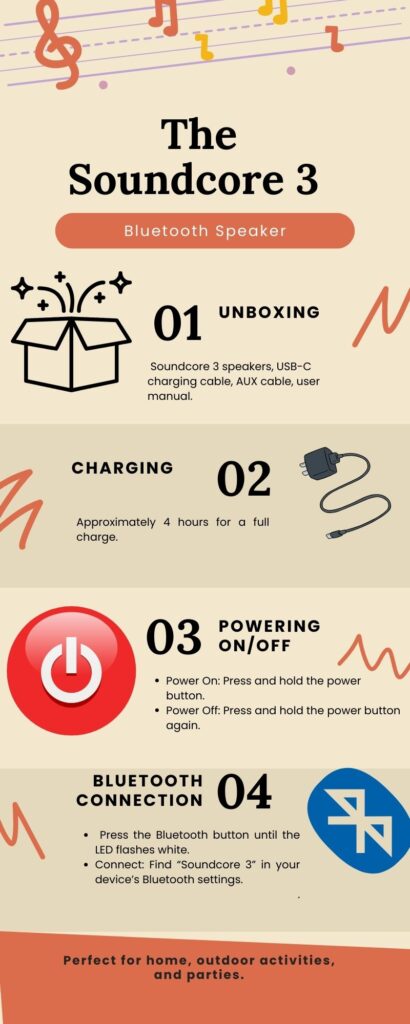
Unboxing the Soundcore 3
When you first open the box, you will find:
- The Soundcore 3 speaker.
- A USB-C charging cable.
- An AUX cable.
- A user manual.
Take a moment to check everything. Make sure nothing is missing.
Charging the Speaker Soundcore 3
Before you use the Soundcore 3, charge it fully.
- Connect the USB-C cable to the speaker.
- Plug the other end into a power source.
- Wait for about 4 hours for a full charge.
The LED indicator will show red while charging. It will turn off when fully charged.
Powering On and Off
To turn on the speaker:
- Press and hold the power button for a few seconds.
- The LED light will flash, indicating it’s on.
To turn it off:
- Press and hold the power button again until the light goes out.
Connecting via Bluetooth Soundcore 3
Initial Pairing
To connect your device:
- Turn on the speaker as mentioned earlier.
- Press the Bluetooth button for 3-5 seconds.
- The LED will flash white, indicating pairing mode.
Next, go to your device’s Bluetooth settings:
- Find “Soundcore 3” in the list of available devices.
- Tap to connect.
Once connected, you’ll hear a confirmation sound. The LED will stop flashing.
Reconnecting Devices Soundcore 3
The Soundcore 3 remembers previously connected devices. To reconnect:
- Turn on the speaker.
- Ensure Bluetooth is enabled on your device.
- It should automatically connect if it’s in range.
If not, repeat the pairing steps.
Using the Soundcore 3 App
The Soundcore app enhances your experience. Download it from your device’s app store.
Features of the App
- Firstly, Sound Customization: Adjust equalizer settings.
- Secondly, Firmware Updates: Keep your speaker updated.
- Then, PartyCast Technology: Connect multiple speakers easily.
Setting Up the App Soundcore 3
After downloading:
- Firstly, Open the app and create an account or log in.
- Secondly, Follow the prompts to connect your Soundcore 3 via Bluetooth.
Once connected, explore various features within the app.
Controls Overview Soundcore 3
Familiarize yourself with the controls on top of the speaker:
- Firstly, the Power Button: Turns on/off.
- Secondly, Volume Up/Down: Adjusts sound levels.
- Thirdly, the Bluetooth Button: Enters pairing mode.
- Finally, the Play/Pause Button: Controls music playback and calls.
Using Voice Assistant Soundcore 3
You can also use voice assistants like Siri or Google Assistant with your Soundcore 3:
- Moreover, Press the Play/Pause button twice to activate your device’s voice assistant.
This feature allows hands-free control of music and calls.
Listening to Music
Playing Music
You can play music in several ways:
- Firstly, Bluetooth Connection: Stream directly from your device.
- Secondly, AUX Input: Use an AUX cable for wired connections.
- Thirdly, Micro SD Card: Insert a micro SD card loaded with music files (if supported).
Adjusting Volume Soundcore 3
Use volume buttons to adjust sound levels easily:
- Firstly, Press the Volume Up to increase the sound.
- then the volume Down to decrease sound.
Using BassUp Technology
For enhanced bass:
- Activate BassUp by pressing the dedicated button (if available).
This feature boosts low frequencies for a richer sound experience.
Making Calls
The Soundcore 3 has a built-in microphone for hands-free calls.
Answering Calls
To answer an incoming call:
- Press the Play/Pause button once.
To end a call:
- Press the Play/Pause button again.
Rejecting Calls
If you want to reject a call:
- Press and hold the Play/Pause button for about 2 seconds.
Multi-Speaker Setup
PartyCast Technology
You can connect multiple Soundcore speakers using PartyCast technology. This feature allows synchronized audio across all connected speakers.
Steps to Connect Multiple Speakers
- Firstly, Connect your first speaker via Bluetooth as usual.
- Secondly, Turn on additional Soundcore speakers.
- Then, Press their Bluetooth buttons until they flash white.
- Finally, double-press the Bluetooth button to pair them together.
You can connect over 100 compatible speakers for an immersive experience!
Water Resistance Features
The Soundcore 3 is rated IPX7 for water resistance. This means it can withstand splashes and brief submersion in water.
Tips for Outdoor Use
- Additionally, Avoid exposing it directly to heavy rain or submerging it in water for long periods.
- Then, Clean any dirt or debris after outdoor use by wiping it with a damp cloth.
Troubleshooting Common Issues
Connection Problems
If you have trouble connecting:
- Firstly, Ensure Bluetooth is enabled on your device.
- Secondly, Restart both your device and the speaker.
- Thirdly, Try forgetting the speaker in your device’s Bluetooth settings and reconnecting.
Audio Quality Issues
If audio quality is poor:
- Firstly, Check if there are any obstructions between your device and the speaker.
- Secondly, Ensure that no other devices are connected that might interfere with playback.
Battery Life Concerns
If battery life seems short:
- Firstly, Ensure you are using an appropriate charging cable and power source.
- Secondly, Close any unused apps on your device that may be consuming battery life during playback.
Maintaining Your Speaker
Proper care extends your speaker’s lifespan.
Cleaning Your Speaker
- Moreover, Use a soft cloth to wipe down surfaces regularly.
- Finally, Avoid using harsh chemicals or abrasive materials that could damage it.
If you want to read How to connect Air pods to iPhone Click here
Storing Your Speaker
Store it in a cool, dry place away from direct sunlight or extreme temperatures when not in use.
Conclusion
The Soundcore 3 is an excellent investment for anyone who loves music on the go. Its robust features make it versatile for various situations—whether at home or outdoors. By following this guide, you can maximize its potential and enjoy high-quality sound wherever you are! Happy listening!