
Using the Sound Core Space One headphones can enhance your listening experience. These headphones are packed with features. They are perfect for music lovers and professionals alike. Let’s explore how to use them effectively.
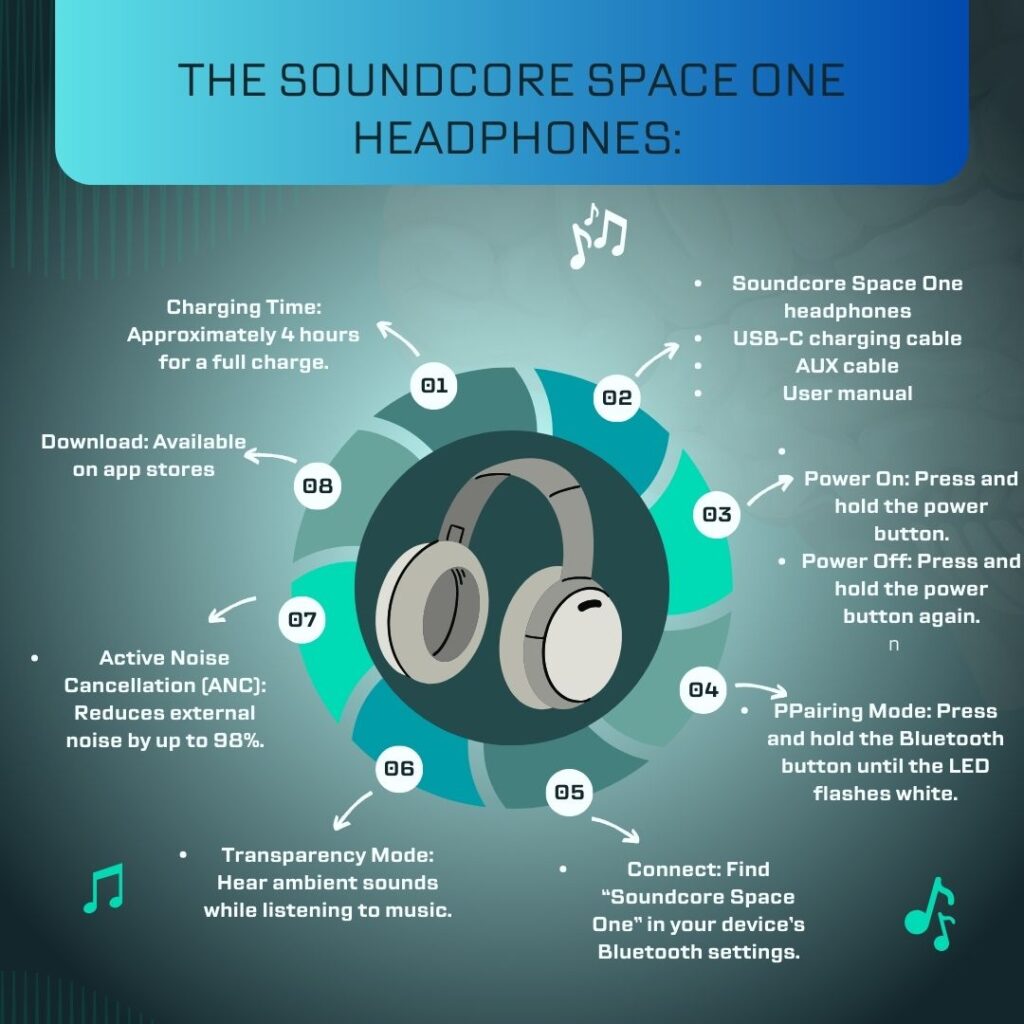
The Sound Core Space One headphones come with Active Noise Cancellation (ANC). This feature reduces external noise by up to 98%. You can enjoy your music without distractions. Whether on a noisy train or in a bustling café, these headphones deliver. They also have a 40-hour battery life with ANC on and up to 55 hours with it off. This means you won’t need to charge them often.
Getting Started Sound Core Space one
First, let’s unbox your Soundcore Space One headphones. Inside the box, you’ll find:
- The Soundcore Space One headphones
- A USB-C charging cable
- An AUX cable for wired listening
- A user manual
Once you have everything, it’s time to charge the headphones. Connect the USB-C cable to the headphones and plug the other end into a power source. Allow them to charge fully for about 4 hours.
Powering On and Connecting to Sound Core Space one
To power on the headphones, press and hold the power button until you hear a prompt. The LED light will indicate they are on. Next, connect them to your device via Bluetooth.
- Firstly, Activate Bluetooth on your device.
- Secondly,Press and hold the Bluetooth button on the headphones until the LED flashes white.
- Then, Look for “Soundcore Space One” in your device’s Bluetooth settings and select it.
Once connected, you’ll hear a confirmation sound. Your headphones are now ready for use!
Exploring Features of Sound Core Space one
The Soundcore Space One has several impressive features:
- Firstly, Adaptive Noise Cancellation: This technology adjusts noise cancellation based on your environment. You can switch between three modes: normal, transparency, and noise cancellation.
- Secondly, Transparency Mode: This allows you to hear ambient sounds while enjoying your music. It’s perfect for when you need to stay aware of your surroundings.
- Then, LDAC Support: The headphones support LDAC codec for high-resolution audio streaming. This is great for Android users.
Using the Soundcore App
To get the most out of your Soundcore Space One headphones, download the Soundcore app from your app store. The app offers many customization options:
- Firstly, Equalizer Settings: Choose from 22 EQ presets or create a custom EQ profile.
- Secondly, Wearing Detection: The headphones pause music when you take them off and resume when you put them back on.
- Moreover, Easy Chat Feature: This lowers music volume when it detects your voice, allowing easy conversations without removing the headphones.
Controls Overview
Familiarize yourself with the controls on the headphones:
- Power Button: Turns the headphones on/off.
- NC Button (Noise Cancellation): Switches between ANC modes.
- Play/Pause Button: Controls playback and answers calls.
- Volume Rocker: Adjusts volume levels and skips tracks.
These buttons are easy to access while wearing the headphones.
Comfort and Design
The Soundcore Space One headphones are designed for comfort. They feature soft ear cups made from polyurethane leather. This provides a snug fit without discomfort during long listening sessions. The headband evenly distributes pressure on your head, ensuring all-day wearability. The ear cups rotate 8 degrees in either direction for a natural fit that conforms to any head shape.
Listening Experience
When it comes to sound quality, the Space One delivers an impressive performance. The 40mm dynamic drivers produce full-bodied bass, clear mids, and crisp treble without harshness.For bass-heavy tracks, use the app to adjust EQ settings accordingly. Experiment with different presets to find what suits your taste best.
Troubleshooting Common Issues
If you encounter issues while using your Soundcore Space One headphones, here are some quick troubleshooting tips:
- Connection Problems: If you can’t connect via Bluetooth, ensure Bluetooth is enabled on your device and try restarting both devices.
- Audio Quality Issues: If audio quality is poor, check for obstructions between your device and the headphones.
- Battery Life Concerns: If battery life seems short, confirm you’re using an appropriate charging cable and power source.
Maintenance Tips
To keep your Soundcore Space One in top shape:
- Regularly clean the ear cups with a soft cloth.
- Store them in a cool, dry place away from direct sunlight.
- Avoid exposing them to extreme temperatures or moisture.
Conclusion
The Soundcore Space One headphones offer an excellent combination of sound quality, comfort, and advanced features at an affordable price point. By following this guide, you can maximize your potential and enjoy high-quality audio in any environment. Whether you’re commuting, working from home, or relaxing at home, these headphones will elevate your listening experience. Enjoy your music like never before!