
Introduction
Using Sony wireless headphones with a charging stand is a smart way to keep your audio gear organized and ready for action. Here’s a step-by-step guide on how to set it up and use it effectively.
1. Setting Up the Wireless Headphones Charging Stand
Choose a Location
Firstly, find a stable spot for your charging stand. Look for a place near a power outlet. This makes it easy to plug in without messy cables. Connect the Power Adapter
Then, take the Type-C cable that came with your charging stand.
Then, plug it into the stand and connect the other end to a power outlet. Ensure the connection is secure. A loose connection can lead to charging issues.
Position Your Wireless Headphones
Secondly, place your Sony headphones on the stand. If your stand has magnetic connectors, they will help align the headphones perfectly for charging. This feature ensures you don’t have to fiddle with positioning each time.
2. Charging Your Wireless Headphones
Drop-In Charging
Additionally, charging your Sony headphones is straightforward. Just set them on the stand, and they will start charging automatically. The charging indicator light should turn on, confirming that everything is working as it should. Monitor Battery Levels
Then, to keep track of your battery status, download the Sony Headphones Connect app. This app allows you to check battery levels and receive notifications when your headphones are fully charged or need attention. Additionally, this is an excellent way to ensure you’re never caught off guard with low battery life.
If you want to read How to Change your Roblox Username for Free Click Here
3. Troubleshooting Common Issues in Wireless Headphones
Sometimes, you may encounter minor issues while using your charging stand. Here’s how to troubleshoot them:
- Firstly, Headphones Not Charging?
If your headphones aren’t charging, make sure they are positioned correctly on the stand. Check if the power adapter is functioning properly by testing it with another device. - Secondly, Charging Indicator Off?
If the charging indicator isn’t lighting up, remove and reinsert the headphones. Ensure they are aligned properly on the stand. - Then, Slow Charging?
If you notice slow charging speeds, make sure you’re using the recommended power adapter. An underpowered adapter can lead to longer charging times.
Maintaining Your Wireless Headphones Setup
To keep everything running smoothly and looking great:
- Additionally, Regular Cleaning
Dust and grime can accumulate on both the stand and headphones over time. Use a microfiber cloth to wipe them down regularly. This helps maintain their appearance and functionality. - Then, Check Connections
Periodically inspect cables and connections for wear or damage. A frayed cable can affect charging efficiency and may need replacement.
Exploring RGB Headphone Stands with Wireless Chargers
Now that you know how to use your Sony wireless headphones with a charging stand let’s explore the benefits of an RGB headphone stand with a wireless charger.
1. Enhanced Aesthetics
An RGB headphone stand adds flair to your workspace or gaming setup:
- Additionally, Customizable Colors
Many RGB stands allow you to choose colors or set them to cycle through various hues. This feature enhances your environment’s ambiance and lets you personalize your space. - Then, Syncing Options
Some advanced models can sync their lighting effects with other RGB devices like keyboards or mice. This creates a cohesive look throughout your setup, making it visually appealing.
2. Multi-Device Charging Capability
Most RGB headphone stands offer additional features that enhance their functionality:
- Firstly, 4-in-1 Functionality
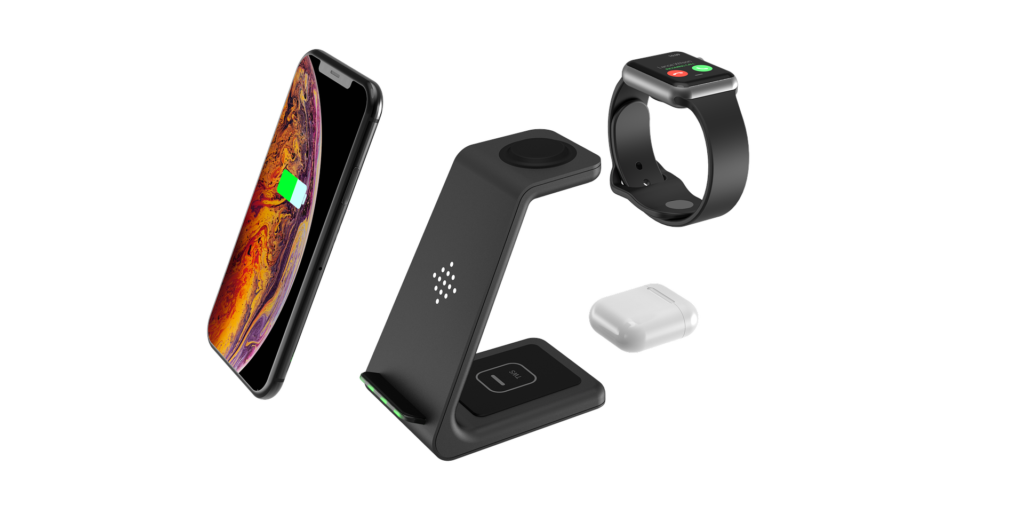
These stands often support charging multiple devices simultaneously—smartphones, smartwatches, and earbuds—eliminating clutter from multiple chargers scattered around your desk. - Secondly, Fast Wireless Charging
Many models support fast wireless charging standards like Qi, ensuring your devices are powered up quickly and efficiently without having to deal with tangled cables.
3. Space-Saving Design
RGB headphone stands are designed with practicality in mind:
- Additionally, Compact Footprint
Their sleek design allows them to fit seamlessly into any workspace without taking up too much room. You can easily place them next to monitors or other peripherals. - Finally, Detachable Components
Some models feature detachable designs that make them easy to store or transport when not in use. This is great for those who travel frequently or want a tidy desk setup.
Conclusion
Using Sony wireless headphones with a charging stand is practical and enhances your audio experience. Following these steps for setup and maintenance, you can ensure that your headphones are always charged and ready for action.
Investing in an RGB headphone stand with a wireless charger elevates both functionality and style in your workspace.
With customizable lighting options and multi-device charging capabilities, it’s an excellent addition for anyone looking to streamline their tech setup while adding a personal touch.
Enjoy the convenience of always having your headphones charged and within reach!