
Introduction
Notion has revolutionized productivity with its all-in-one workspace, and now, Notion AI takes it further by integrating powerful AI tools directly into your workflow. Whether drafting documents, managing tasks, or brainstorming ideas, Notion AI can save you time and boost efficiency.
But how exactly does it work? What can you do with it? And is it worth the hype?
Notion has changed how we work by combining notes, tasks, and databases in one place. Notion AI makes it even better by adding smart writing and editing tools.
Want to write faster, summarize long notes, or brainstorm ideas without leaving Notion? This guide will show you how.
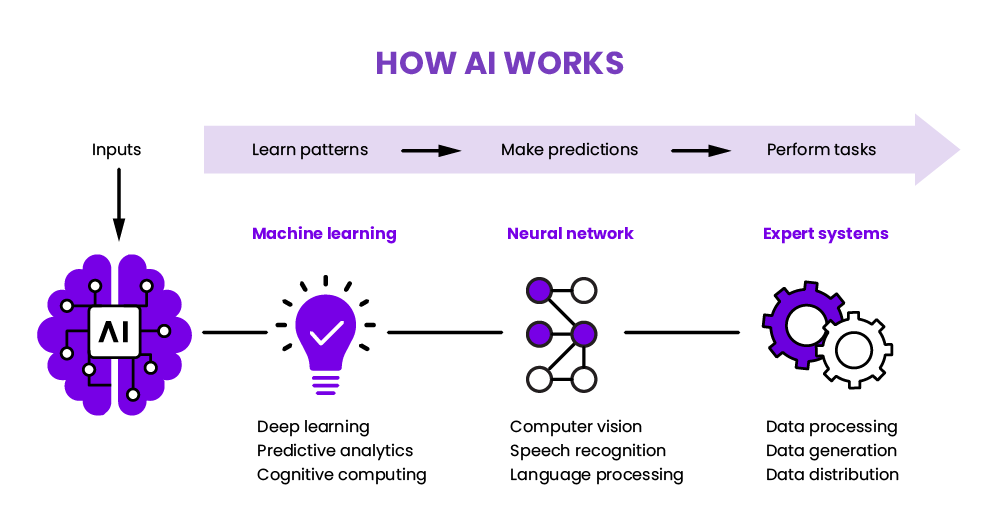
What Is Notion AI?
It is a built-in assistant that helps you:
- Firstly, write and edit text quickly
- Secondly, summarize long documents
- Thirdly, brainstorm ideas
- Then, fix grammar and tone
- Finally, translate the text
Moreover, it works inside Notion, so you don’t need to switch apps.
How to Use Notion AI
1. Turn On Notion AI
First, you need to enable it:
- Open Notion.
- Click your workspace name.
- Go to Settings & Members → Upgrade.
- Choose Add Notion AI and pay the fee.
Now, you can use AI in any Notion page.
2. Write Faster with AI
Additionally, need a quick draft? Here’s how:
- Firstly, type
/aiand press Enter. - Secondly, pick a prompt like “Write a blog intro” or “Make a to-do list”.
- Thirdly, let AI create the text, then edit it if needed.
Tip: Be specific for better results.
3. Summarize Long Notes
Have a big document? Highlight text and click “Summarize”. AI will shorten it in seconds.
4. Fix Your Writing
Want to sound more professional? Try:
- Firstly, “Make this clearer.”
- Secondly, “Shorten this paragraph.”
- Thirdly, “Make this more casual.”
5. Get Ideas Fast
Stuck? Ask AI for help:
- Firstly, “Give me 5 blog topic ideas.”
- Secondly, “Create a project plan.”
- Then, “Suggest ways to improve this.”
Pro Tips for Notion AI
Use AI in Databases
You can also use AI inside tables. For example:
- Firstly, auto-write meeting notes
- Secondly, generate product descriptions
- Thirdly, summarize survey answers
Try Different Prompts
Furthermore, experiment with commands like:
- “Turn these notes into an email.”
- “Explain this simply.”
- “Rewrite this for a social media post.”
FAQ: Common Questions
1. Is Notion AI free?
No, it costs 8−8−10/month (added to paid plans).
2. Can it replace human writers?
No, it helps with drafts, but you still need to edit.
3. Is my data safe?
Notion says AI doesn’t train on your data, but check their privacy policy.
4. How is it different from ChatGPT?
Notion AI is just for Notion, while ChatGPT works anywhere.
5. Does it work offline?
No, you need the internet.
Should You Use Notion AI?
Yes, if you:
Write a lot in Notion
Need quick drafts or summaries
Want to save time
Maybe not if you:
✖ Rarely use Notion
✖ Don’t need AI help
Then, try it for a month and see if it helps!
Ready to Try Notion AI?
Turn it on and work smarter today.