
How to Use Frase.AI: What You Need to Know
Frase AI, First, content creation is hard. Next, you face tight deadlines. Also, you see keyword demands. Therefore, you feel exhausted. But a powerful tool exists. Specifically, that tool is Frase. So, this guide will explain it. Consequently, you will learn its use.
Understand Frase AI First
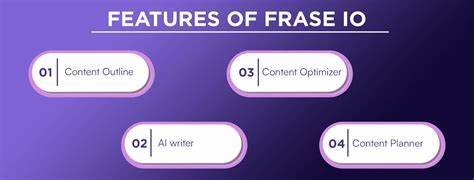
Primarily, Frase is an assistant. However, it is not a simple checker. Instead, it connects many steps. For example, it starts with research. Then, it moves to outlining. After that, it helps with writing. Finally, it aids optimization. Essentially, it fills a major gap.
Frase AI Step 1: Start with Smart Research
First, open Frase. Then, make a new document. Next, type your main keyword. Immediately, Frase will analyze results. Subsequently, it makes a Content Brief.
Now, you get key data. For instance, you see the average word count. Also, you find headline styles. Plus, you discover keyword use. Meanwhile, it raises important questions. Specifically, these come from “People Also Ask.” Additionally, it finds forum discussions. Therefore, your research is complete.
Frase AI Step 2: Build Your Outline Quickly
Next, click the “Outline” button. Then, Frase suggests a structure. So, you see headings automatically. After that, you can drag them. Also, you can add your own. Furthermore, you can attach questions. Thus, your outline becomes strong.
Frase AI Step 3: Write with Helpful AI
Now, face the empty page. But use the AI tools. First, highlight a heading. Then, click “Write For Me.” Next, give a short instruction. Subsequently, Frase makes a paragraph. Also, you can expand bullet points. Alternatively, you can rewrite text. Meanwhile, use “Continue Writing” if stuck. However, always edit the output. Consequently, your voice stays human.
Frase AI Step 4: Optimize Before Publishing
Finally, check your work. So, look at the “Optimization” panel. Then, see your score. For example, it checks keyword use. Also, it scores readability. Plus, it compares length. Therefore, you see clear feedback.
Now, follow the suggestions. For instance, add related terms. Alternatively, simplify sentences. Then, aim for a high score. But always prioritize clarity. Thus, your content will perform well.
Use Frase AI in Your Workflow
Overall, use Frase regularly. For bloggers, save time, SEOs, build better briefs. and for agencies, standardize quality. For solopreneurs, beat writer’s block. Hence, it fits many roles.
Frequently Asked Questions (FAQ)
Q: Is Frase only for SEO?
A: No, it is not only for SEO. While it excels there, you can use it for reports. Also, you can use it for brainstorming. Therefore, it has many uses.
Q: Does Frase content rank well?
A: Frase gives you the tools. For example, it provides research. Also, it helps optimization. However, you must add value. So, your expertise is key. Therefore, use it as a partner.
Q: Can Frase replace writers?
A: No, it cannot replace writers. Instead, it assists them. Specifically, it does heavy lifting. Then, writers focus on strategy. Thus, it is a co-pilot.
Q: Is Frase hard to learn?
A: No, it is not hard. In fact, it is intuitive. So, you can start quickly. Then, you master the features later.
Q: Is there a free trial?
A: Yes, there is a trial. Specifically, it lasts five days. So, you can test all features.
Final Summary
In conclusion, Frase streamlines creation. First, it masters research. Then, it builds outlines. After that, it aids writing. Finally, it guides optimization. So, you save precious time. Therefore, you can focus on strategy. Ultimately, start with one keyword. Then, follow these steps. Consequently, you will create better content.