
Introduction
Secure Data. In today’s hyper-connected world, cyber threats lurk around every digital corner. Hackers, scammers, and data thieves constantly evolve tactics, making online security more critical than ever. If you use the internet, you’re a potential target. But don’t panic, securing data isn’t as complicated as it seems.
Let’s face it – the internet can be scary. Hackers want your information. Scammers try to trick you. But protecting yourself doesn’t need to be complicated. I’ll walk you through easy steps anyone can follow. No tech skills required!
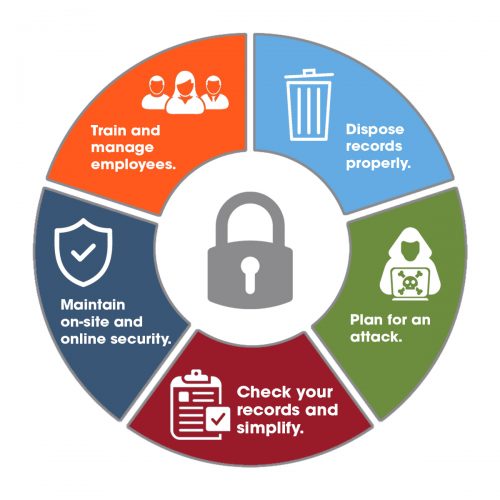
Why This Matters to You
Last month, my neighbor lost $2,000 because someone guessed her password. It happened in minutes. These aren’t just stories – they happen to real people every day.
Furthermore, the good news? You can block most threats with simple habits. Let’s get started.
1. Fix Your Passwords (It’s Easier Than You Think)
Bad passwords cause 80% of hacking problems. Let’s fix yours today.
Do this now:
- Firstly, make a new strong password for your email (we’ll do others later)
- Secondly, use 3 random words with numbers: “PurpleBike37$Turtle”
- Then, write it down on paper if you need to (just keep it safe)
Even better: Try a password manager. It’s like a locked notebook for all your passwords. I use Bitwarden (it’s free).
2. Secure Data: Add Extra Protection (2 Minutes)
Turn on two-step verification for your email. Here’s how:
- Firstly, go to your email settings
- Secondly, look for “Security” or “Two-Step Verification.”
- Then, follow the simple steps
Even if someone gets your password, they can’t get in.
If you want to read How to Use AI Tools: Click Here
3. Stop the Most Common Hack (Phishing) Secure Data
Got an urgent email from your bank? It’s probably fake. Here’s what to do:
- Firstly, don’t click any links
- Secondly, if worried, call your bank directly
- Then, look for spelling mistakes – real companies don’t make them
4. Update Your Devices (Set It and Forget It)
Your phone and computer need updates, your car needs oil changes. Turn on automatic updates today:
- Firstly, on iPhone: Settings > General > Software Update
- Secondly, on Android: Settings > System > Advanced > System update
- Then, on the computer, say “yes” when it asks to update
5. Secure Data Protect Your Wi-Fi (5 Minute Fix)
Change your home Wi-Fi password if you’ve never done it:
- Firstly, find your router (the box that gives you internet)
- Secondly, look for a sticker with login info
- Then, pick a new password like “BlueHouse2024!”
Secure Data: What to Do Right Now
Pick just one thing from this list and do it today. Tomorrow, do one more. Small steps make big differences.
Remember: You don’t need to be perfect. Just be better than yesterday. Most hackers will move on to easier targets if you put up basic defenses.
Need help with any step? Ask a tech-savvy friend or reply here – I’m happy to explain further in simpler terms. Your safety matters!
What’s Next?
🔹 Bookmark this guide for future reference.
🔹 Share it with friends & family—security is a team effort.
Stay updated—follow cybersecurity news on TechCrunch or KrebsOnSecurity.
Stay safe, stay secure, and take action now! 🚀