
Introduction
E-commerce SEO is the backbone of online retail success. Without it, even the best products can get lost in the vast ocean of digital competition. But don’t worry, mastering e-commerce SEO isn’t as complicated as it seems. By following proven strategies, you can boost your rankings, drive more traffic, and increase sales.
Additionally, running an online store? You need customers to find your products. That’s where E-Commerce SEO comes in. Think of it like putting up bright signs in a busy marketplace, it helps shoppers spot your store among thousands of others.
Furthermore, the good news? You don’t need to be a tech wizard to get it right. Follow these straightforward tips, and you’ll start ranking higher, getting more visitors, and making more sales.
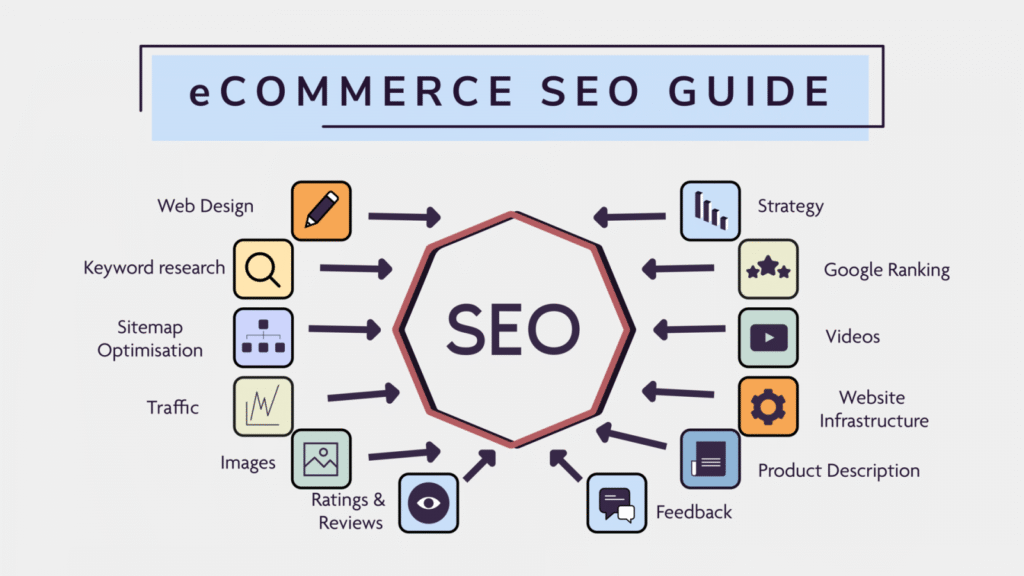
Why Bother with E-commerce SEO?
Before we dive in, let’s talk about why this matters:
- Firstly, Free traffic – Unlike ads, you don’t pay for every visitor
- Secondly, Better customers – People searching for your products are ready to buy
- Then, Long-term results – A well-optimized store keeps working for you 24/7
Now, let’s get into the practical steps you can take today.
1. Find the Right Keywords (What Are People Searching For?)
Imagine trying to sell ice to Eskimos. Not smart, right? Keyword research helps you sell what people want.
How to Do It:
- Firstly, use free tools like Google’s Keyword Planner
- Secondly, look for phrases like “buy [your product] online”
- Then, check what your competitors rank for
Pro tip: Long phrases like “women’s waterproof hiking boots size 8” get less traffic but convert better.
2. Make Your Product Pages Shine
Your product pages are your salespeople. Make them work harder!
What to Fix:
- Titles: Keep them short and sweet (under 60 characters)
- Bad: “Shoes”
- Good: “Men’s Running Shoes – Lightweight & Cushioned”
- Descriptions: Tell a story, not just specs
- Bad: “This shoe has rubber soles.”
- Good: “Run longer without foot pain thanks to our shock-absorbing soles.”
- Pictures: Use clear photos and describe them
- Bad: “shoe1.jpg”
- Good: “blue-running-shoe-side-view.jpg”
3. Speed Up Your Website (Or Lose Customers)
Ever left a store because the line was too long? Online shoppers bail even faster.
Quick Fixes:
- Firstly, compress images (try TinyPNG)
- Secondly, use a fast hosting service (like SiteGround or Kinsta)
- Then, enable browser caching (ask your developer)
Test your speed: Google’s PageSpeed Insights gives free advice.
4. Make Sure Your Site Works on Phones
More than half of shoppers use phones. If your site looks bad on mobile, you’re losing sales.
Check These:
- Firstly, buttons big enough to tap
- Secondly, text that’s easy to read without zooming
- Then, fast loading times
Easy test: View your site on your phone. Can you buy something easily?
5. Fix Technical Glitches (Boring But Important)
Think of this like store maintenance – no leaks, good lighting, clear signs.
What to Check:
- No broken links (use Dead Link Checker)
- Clean URLs (yoursite.com/red-dress not yoursite.com/product=1234)
- Add product details Google can understand (ask your developer about “schema markup”)
6. E-commerce SEO Link Your Products Together
This helps customers discover more items and helps Google understand your site.
How to Do It:
- Firstly, add “You might also like” sections
- Secondly, link from blog posts to products
- Then, use clear link text (“See our winter coat collection,” not “Click here”)
7. E-commerce SEO Start a Simple Blog
Blogs bring in free traffic and show you’re an expert.
Easy Post Ideas:
- “How to choose the best [your product]”
- “[Your product] care guide”
- “Top 5 uses for [your product]”
Example: A pet store could write “How to Stop Puppy Chewing – Best Toys Reviewed”
8. E-commerce SEO: Get Other Sites to Link to You
This is like getting recommendations from trusted friends.
Ways to Get Links:
- Firstly, offer products for honest reviews
- Secondly, create helpful guides that others will share
- Then, list your products on industry directories
9. Show Off Your Happy Customers with E-commerce SEO
Reviews build trust and help with rankings.
How to Get More:
- Firstly, send a friendly email after purchase
- Secondly, offer a small discount on the next purchase
- Then, make leaving reviews super easy
10. Track What’s Working for E-commerce SEO
You can’t improve what you don’t measure.
What to Watch:
- How many visitors come from Google
- Which products get the most views
- Where people leave your site
Free tool: Google Analytics shows all this.
E-commerce SEO Final Tip: Start Small, But Start Today
You don’t need to do everything at once. Pick one area to improve this week, then move to the next. Even small changes add up over time.
Remember: The stores that win online aren’t always the biggest; they’re the ones who do the basics best.
Need help? Try these free tools to get started:
- Firstly, Google Keyword Planner (for research)
- Secondly, PageSpeed Insights (for speed checks)
- Then, Google Search Console (for technical fixes)
Now make your store easier to find!