
Introduction
Why You Might Need a Different AI Chatbot
ChatGPT is great, but it’s not perfect for everyone. You might want something better for:
- Firstly, Specific tasks like coding or medical writing
- Secondly, Cheaper options if you’re on a tight budget
- Thirdly, More privacy for sensitive work
- Then, Cool extras like voice commands or image creation
Let’s look at the best options and how to pick yours.
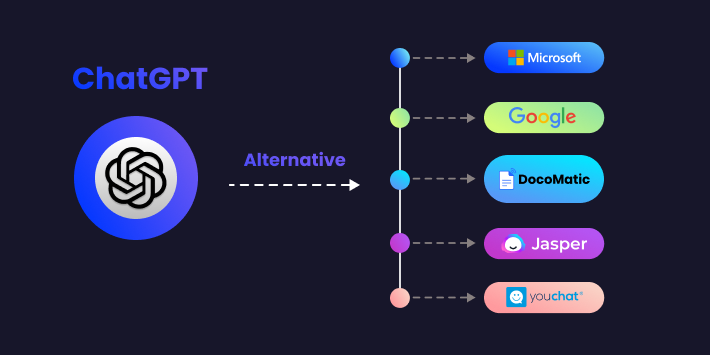
Top 5 ChatGPT Alternatives Right Now
1. ChatGPT Alternatives: Google Gemini (Used to Be Called Bard)
Google’s AI works smoothly with Gmail, Docs, and other Google tools.
👍 Best for: People who use Google a lot
🔥 Cool Features:
- Firstly, free to use (with paid upgrades)
- Secondly, understands pictures and voice
- Thirdly, check facts using Google Search
2. ChatGPT Alternatives: Claude AI – The Friendly Helper
Claude talks more like a real person and remembers long conversations.
👍 Best for: Writing reports, books, or legal stuff
🔥 Cool Features:
- Firstly, remember what you said 20 pages ago!
- Secondly, less likely to say weird or harmful things
- Thirdly, the free version works well
3. ChatGPT Alternatives: Microsoft Copilot – Office’s New Brain
If you use Word or Excel, this AI lives right inside them.
👍 Best for: Office workers, Windows users
🔥 Cool Features:
- Firstly, free with Windows 11
- Secondly, makes charts in Excel automatically
- Then, creates images from words
4. ChatGPT Alternatives: Perplexity – The Fact Checker
This AI shows where it gets its answers – perfect for schoolwork.
👍 Best for: Students, researchers
🔥 Cool Features:
- Firstly, always shows its sources
- Secondly, searches the web live
- Then, the free version is available
5. ChatGPT Alternatives: Mistral – The Free Option
Techies love this because you can change how it works.
👍 Best for: Programmers, privacy fans
🔥 Cool Features:
- Firstly, completely free to modify
- Secondly, works in many languages
- Then, doesn’t spy on you
How to Pick Your Perfect AI (3 Easy Steps)
Step 1: Know What You Need
Additionally, ask yourself:
- Will I mostly write, code, or research?
- Do I need it to search the internet?
- Is keeping my data private important?
Step 2: Try Before You Buy
Furthermore, Most have free versions – test them with:
- Your actual work questions
- Tricky problems
- Requests for sources
Step 3: Check the Money Part
- Students: Try free ones first
- Businesses: Look at team plans
- Developers: Open-source might be best
Quick Cheat Sheet: Which to Choose
| If You Need… | Pick This |
|---|---|
| General help | ChatGPT or Claude |
| School research | Perplexity |
| Microsoft Office | Copilot |
| Google apps | Gemini |
| Total privacy | Mistral |
Wrapping Up
Finding the right AI is like choosing shoes – what fits depends on where you’re walking!
Try this today:
- Firstly, open two free AI tools
- Secondly, ask the same question in both
- Then, see which answer you like better
Remember, the best AI is the one that helps YOU. Happy chatting with robots! 🤖