
Introduction
Finding the perfect business laptop shouldn’t feel like solving a complex puzzle. Lenovo’s ThinkPad series offers reliable options, but with so many models available, making the right choice requires careful thought. This easy-to-follow guide walks you through every important consideration using simple, clear language anyone can understand.
Additionally, choosing a work laptop doesn’t need to be hard. Lenovo ThinkPads are great for business, but which one should you pick? This guide explains everything in plain English.
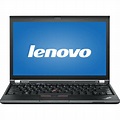
Firstly: Know What You Need about ThinkPad
Firstly, ask yourself:
- What work will you do?
- Basic tasks (emails, documents): Any ThinkPad works
- Heavy programs (design, coding): Need more power
- Travel often: Choose a light model
- Where will you use it?
- Mostly at a desk: A Bigger screen helps
- On the go: Lightweight matters most
- Outside: Need a bright screen
Tip: Write down your top 3 needs before looking at laptops.
Secondly: Pick the Right Power of ThinkPad
Processors Made Simple:
- Firstly, Core i5/Ryzen 5: Good for most work
- Secondly, Core i7/Ryzen 7: Better for hard work
- Then, Core i9/Ryzen 9: Only for special jobs
Memory (RAM):
- 8GB: Enough for simple work
- 16GB: Best for most people
- 32GB: Only for very hard work
Storage:
- 256GB: Minimum (not much space)
- 512GB: Good for most
- 1TB: Best if you store lots
Moreover, remember: Don’t pay for power you won’t use.
Thirdly: Size and Weight of ThinkPad
Light Models (Easy to Carry):
- Firstly, X1 Carbon: Best for travelers (2.5 lbs)
- Secondly, X1Nano: Even lighter (2 lbs)
Middle Size (Good for Most):
- T14: Good mix of size and power
- L14: Cheaper but still good
Big Models (Stay at Desk):
- P16: For very hard work
- E16: Big screen for less money
Moreover, Choose This: Travel a lot? Pick light. Stay at a desk? Bigger is okay.
Fourthly: Important Features of ThinkPad
1. Keyboard:
- ThinkPads have the best keyboards
- Keys feel good for long typing
2. Security:
- Fingerprint login: Fast and safe
- Camera cover: Keep privacy
- Extra locks: Protect your work
3. Battery Life:
- 8 hours: Minimum needed
- 12+ hours: Best for travel
4. Ports:
- Need at least 2 USB-C ports
- HDMI port helps with meetings
- Old USB ports help for older devices
Fifthly: Compare Popular Models
| Model | Best For | Weight | Price |
|---|---|---|---|
| X1 Carbon | Travel | 2.5 lbs | $1,400 |
| T14 | Most work | 3.3 lbs | $1,100 |
| P16 | Hard work | 5.3 lbs | $1,900 |
| E14 | Save money | 3.3 lbs | $700 |
Sixth: Set Your Budget
- Under $800: E-series (basic)
- $1,000-$1,500: T/X1 series (best for most)
- Over $1,800: Only if work needs it
Moreover, Save Money Tip: Check Lenovo’s outlet for good used laptops.
Before You Buy Checklist
Firstly, know your needs
Secondly, pick 2-3 models to compare
Thirdly, check for sales
Then, read what others say
Furthermore, Final Tip: The best ThinkPad is the one that fits your work, not the most expensive.
Where to Buy
- Firstly, Lenovo website: Best for custom options
- Secondly, Amazon/Best Buy: Fast shipping
- Then, business sellers: Good for many laptops
Do This Now:
- Firstly, list what you need.
- Secondly, pick some models
- Thirdly, compare prices
- Then, buy with confidence
This guide helps you find the perfect ThinkPad without stress. Whether you pick the light X1 Carbon or powerful P16, you’ll get a great work laptop.