
Introduction
Cloud Migration: Migrating to the cloud is no longer optional—it’s a necessity for businesses seeking scalability, cost efficiency, and agility. However, the process can be complex without the right strategy. In this guide, we’ll walk you through how to migrate to the cloud successfully and key considerations to ensure a smooth transition.
Additionally, moving your business to the cloud doesn’t have to be complicated. In fact, with the right approach, it can be straightforward and highly rewarding. This guide breaks down everything you need to know in simple terms, from first steps to common pitfalls. Let’s make your cloud journey easy!
Why Move to the Cloud? The Clear Benefits
Before we dive into the how-to, let’s look at why so many businesses are making the move:
- Save money – Firstly, no more expensive servers taking up office space
- Grow easily – Secondly, scale up or down in minutes, not weeks
- Work from anywhere – Thirdly, access everything securely, anytime
- Stay safe – Fourthly, top-notch security from cloud providers
- Never lose data – Then, automatic backups protect your business
Moreover, Sounds good? Now let’s get into the practical steps.
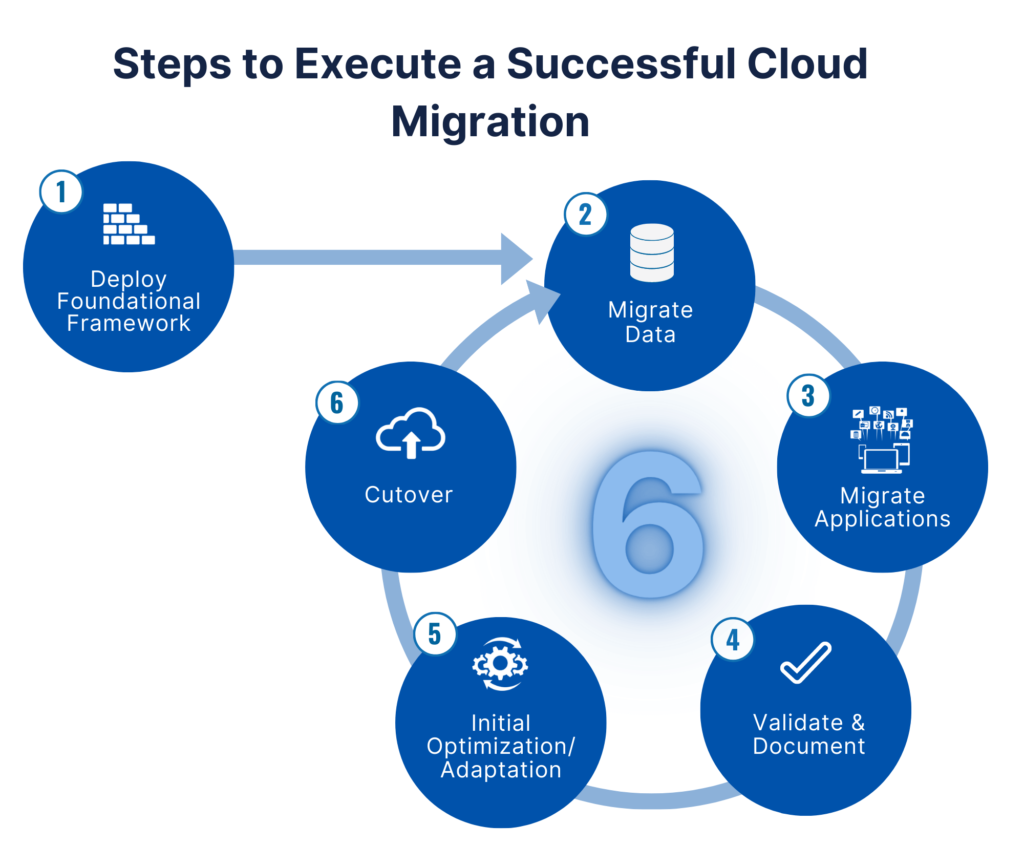
Your Cloud Migration Roadmap
Step 1: Take Stock of What You Have
Start by listing:
- All your current software and systems
- What data do you need to move
- Then, any special security needs
Helpful tip: Many cloud companies offer free tools to scan your systems and make recommendations.
Step 2: Pick Your Cloud Type
You’ve got three main choices:
- Public cloud (like AWS or Google Cloud) – Great for most businesses
- Private cloud – Best if you have strict security rules
- Hybrid cloud – Mix of both worlds
Step 3: Choose Your Moving Strategy
Think of this like moving houses – you have options:
- Lift and shift – Move everything as-is (quickest)
- Improve as you go – Make small tweaks during the move
- Start fresh – Then, build new cloud-native versions
Step 4: Keep Everything Secure
Don’t skip these must-dos:
- Turn on encryption
- Set up strong login protections
- Check all security boxes for your industry
Step 5: Make the Move
Now the exciting part! Remember to:
- Move in stages (start with less critical systems)
- Then, best as you go
- Have a backup plan
Step 6: After the Move
You’re not done yet! Keep an eye on:
- Firstly, costs (cloud bills can sneak up on you)
- Secondly, performance
- Then, security updates
Cloud Migration Common Hurdles (And How to Jump Them)
| Problem | Simple Solution |
|---|---|
| Worried about downtime? | Move on weekends or use parallel systems |
| Security concerns? | Pick a trusted provider and turn on all security features |
| Costs adding up? | Set spending alerts and review monthly |
| Not tech-savvy? | Many providers offer free training |
Cloud Migration Questions You Might Have
How long will this take?
Most small businesses finish in weeks. Then, big companies might need months.
Will it cost a lot?
You’ll spend money upfront but save long-term on hardware and IT costs.
What if something goes wrong?
That’s why we test first and move in stages. Then, always have a backup!
Do I need to move everything?
Nope! Some old systems might stay put or get replaced instead.
Which cloud company is best?
AWS is the biggest, but Microsoft and Google have great options too. Then, compare features and prices.
Cloud Migration Wrapping Up
Cloud migration might seem daunting, but breaking it into small steps makes it manageable. The key is to:
- Firstly, plan carefully
- Secondly, move gradually
- Then, check everything as you go
Finally, thousands of businesses do this successfully every year, and you can too! Many cloud providers offer free help to get started, so why not take that first step today?
Remember: The cloud isn’t just for tech giants. With the right approach, it can work for businesses of any size. Your future in the cloud starts now!