
How to Run an E-Commerce Site: You Need to Know These 10 Rules
Starting an online store feels exciting. You imagine customers flooding in, sales notifications pinging, and packages flying out the door. But then reality hits. Orders stall. Visitors bounce. Carts stay empty. So, what separates thriving stores from failed experiments? You need a clear plan. You need the right habits. Above all, you need to run your e-commerce site with intention and consistency.
This guide walks you through exactly how to do that. Consequently, you will learn actionable strategies, avoid common mistakes, and build a store that actually sells.
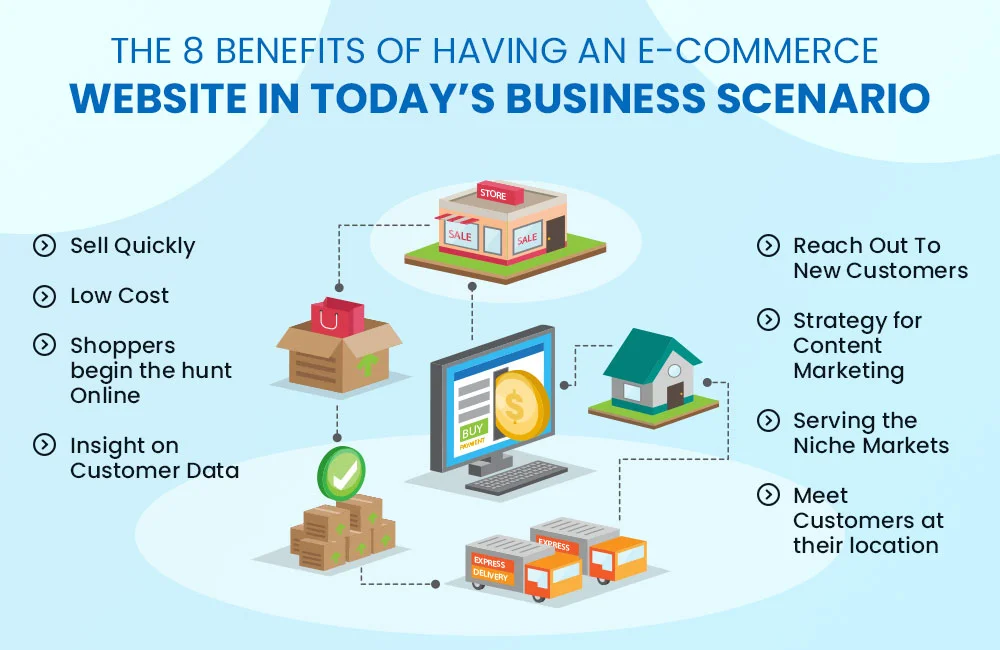
E-Commerce 1. Choose Your Platform Carefully
Firstly, pick a solid foundation. Your e-commerce platform acts as your digital storefront. Therefore, do not rush this decision; Shopify, WooCommerce, BigCommerce, and Squarespace each offer unique strengths.
Ask yourself specific questions. How many products will you sell? What is your monthly budget? Do you need advanced shipping options? For example, WooCommerce gives you total control. But it needs technical effort. Shopify handles hosting and security for you. That makes it easier. So, think about convenience. Think about flexibility too. You can switch platforms later. But moving your store takes time. It also costs money. So pick the right one from the start. Choose wisely.
2. Simplify Your Navigation Immediately
Once you set up your platform, organize your site. Confusing menus frustrate shoppers. As a result, they leave within seconds. Instead, build a logical category structure. Then, use broad headings such as “Men,” “Women,” and “Accessories.” Then, add subcategories underneath.
Moreover, include a prominent search bar. Many visitors prefer typing over clicking. Additionally, add filters for price, size, color, and brand. Filters empower customers to narrow down choices quickly. Consequently, they find what they want faster. Happy shoppers buy more. Unhappy shoppers abandon carts. The connection is clear.
3. Write Product Descriptions That Sell
Never copy manufacturer descriptions. Those who read as robots wrote them. Instead, write for humans. Address the customer directly. Say “you” and “your” often. For example, instead of “This blender has 500 watts,” write “You will crush ice in seconds with this 500‑watt blender.”
Furthermore, focus on benefits, not just features. Features tell. Benefits sell. A feature: “Cotton fabric.” The benefit: “You stay cool all summer long.” So, lead with the benefit. Then, support it with features. Also, break up text with bullet points. Bullet points improve scannability. Shoppers scan before they read. Help them find the key points effortlessly.
4. Use High‑Quality Images and Video
Text alone does not close sales. People buy what they see. Therefore, invest in professional photography. Show products from multiple angles. Include close‑ups of texture, stitching, or details. Add lifestyle shots too. For instance, show someone wearing your jacket outside. Show a couple using your coffee maker on a Sunday morning.
Even better, add short videos. A 15‑second video demonstrating your product builds trust faster than five paragraphs. Consequently, return rates drop. Why? Because customers know exactly what they receive. No surprises. No disappointment.
5. Optimize for Mobile Shoppers
More than half of all online traffic comes from phones. Hence, your site must work perfectly on small screens. Then, test every button with your thumb. Can you tap “Add to Cart” easily? Or do you struggle to avoid clicking the wrong link?
Additionally, compress images so pages load quickly. A one‑second delay reduces conversions by 7%. So, check your load speed regularly. Use Google’s PageSpeed Insights. Follow its recommendations. Mobile shoppers have zero patience for spinning wheels. They leave and find another store.
6. Display Trust Signals Prominently
New visitors do not trust you yet. You need proof. So, add trust signals everywhere. Show security badges near payment buttons. Display customer reviews on product pages. Highlight your return policy in the footer and on each product page.
Share their unboxing video. That social proof works like magic. Consequently, hesitating shoppers feel safe clicking “Buy Now.”
7. Streamline Your Checkout Process
Long checkouts kill sales. Every extra field invites abandonment. Therefore, remove unnecessary steps. Do not force account creation. Let guests check out freely. Ask for email addresses only after the purchase.
Additionally, offer multiple payment options. Credit cards, PayPal, Apple Pay, Google Pay, and Buy Now Pay Later services like Klarna or Afterpay. The more choices you provide, the fewer objections customers raise. Also, show a progress indicator. Tell shoppers they are on step two of three. This simple trick reduces anxiety and increases completions.
8. Set Up Automated Emails
After a customer buys, your work continues. Transactional emails build loyalty. So, send an immediate order confirmation. Then, send shipping updates with tracking links. Finally, follow up seven days later. Ask for a review. Offer a discount on their next purchase.
Moreover, set up abandoned cart emails. When someone leaves items behind, wait one hour. Then, send a friendly reminder. Include a picture of the abandoned product. Add a small incentive, like free shipping. Many customers return and complete the purchase. In fact, abandoned cart emails recover 10–15% of lost sales. You cannot afford to skip this step.
9. Monitor Your Analytics Weekly
Guesswork ruins e-commerce success. Data guides smart decisions. Therefore, connect Google Analytics to your store. Also, use your platform’s native dashboard. Check these metrics weekly:
- Conversion rate (visitors who buy).
- Average order value.
- Cart abandonment rate.
- Top traffic sources.
- Best‑selling products.
Consequently, you will spot problems early. For example, a sudden drop in conversions might mean a broken checkout button. Or a spike in traffic from Pinterest tells you where to advertise more. Let numbers, not feelings, drive your strategy.
10. Keep Testing and Improving
Running an e-commerce site never becomes “done.” Markets shift. Customer expectations rise. New competitors appear. So, adopt a testing mindset. Change one element at a time. Then, measure the impact.
Test your call‑to‑action button colors. Test different headlines and free shipping thresholds. For instance, moving “Add to Cart”. Above the fold often lifts sales by 20%. Similarly, adding a satisfaction guarantee reduces hesitation. Run these experiments monthly. Winners stay. Losers go. Over time, small wins compound into major growth.
E-Commerce Common Mistakes to Avoid
Even experienced store owners slip up. Watch out for these traps:
- Ignoring customer service. Answer emails within 24 hours. Use live chat if possible. Slow responses kill repeat business.
- Hiding shipping costs until checkout. Reveal costs early. Otherwise, shoppers feel tricked and leave.
- Using stock photos exclusively. Customers want to see the actual item. Generic photos destroy trust.
- Skipping SEO. Optimize product titles, meta descriptions, and alt text. Otherwise, nobody finds you on Google.
- Neglecting returns. Offer a clear, fair return policy. Strict return policies reduce sales by 30% or more.
E-Commerce Frequently Asked Questions (FAQ)
Q1: How much money do I need to start an e-commerce site?
You can start with as little as $500. This amount covers hosting, a domain name, basic photography, and initial inventory. However, budget more for marketing. Many new stores spend $1,000–$5,000 in the first three months.
Q2: Do I need to hold inventory?
Not necessarily. You can try dropshipping. In this model, suppliers ship products directly to your customers. Consequently, you avoid storage costs. Still, you have less control over quality and shipping times. Alternatively, use print‑on‑demand for custom apparel.
Q3: How do I drive my first 100 sales?
Start with people you know. Tell friends and family. Then, run targeted social media ads on Facebook or Instagram.
Q4: What is a good conversion rate for a new e-commerce site?
A 1–2% conversion rate is typical for new stores. As you improve your site and marketing, you can reach 3–5%. Exceptional stores sometimes hit 10% or higher. Focus on steady, incremental improvements rather than overnight jumps.
Q5: How often should I update my product catalog?
Review your catalog every month. Remove poor sellers. Add new items seasonally. Also, refresh product descriptions and images every six months. Stale catalogs lose relevance. Active catalogs keep customers coming back.
Q6: Can I run an e-commerce site alone?
Yes, many solopreneurs succeed. Automation makes this possible. Use email marketing software, inventory management tools, and chatbots. Still, expect to work 10–20 hours weekly. As you grow, consider outsourcing customer service or order fulfillment.
Q7: What legal documents do I need?
At minimum, create a privacy policy, terms of service, and return policy. These documents protect you and your customers.
Q8: How do I handle customer complaints?
Respond quickly and politely. Apologize for their poor experience. Then, offer a solution, replace the item, issue a refund, or provide store credit. Finally, learn from the complaint. If multiple customers report the same problem, fix the root cause permanently.
Final Thoughts about E-Commerce
Running an e-commerce site challenges you daily. You will face technical glitches, slow months, and demanding customers. Nevertheless, the rewards feel incredible. You build something from nothing. You serve people across the country or around the world. Then, you create income that does not depend on a single location.
So, start today. Choose your platform. Add one product. Write a helpful description. Then, launch imperfectly. Improve as you go. Every successful store owner began. Exactly where you are now, unsure but willing to learn. Now, go run your site with confidence. Your first sale waits just around the corner.