
Introduction
1-Hour App, Let me be honest. I don’t know React. I’ve never touched Swift. Moreover, backend logic gives me a headache. Nevertheless, last Tuesday, I built a fully functional web app. How? Consequently, you are reading the right story.
Specifically, I used AI. To clarify, not a drag-and-drop builder. Instead, I used large language models. For example, ChatGPT and Claude. Subsequently, in 60 minutes, I shipped an app. Therefore, let me show you exactly how I did it. Furthermore, I will share what you absolutely need to know before starting.
AI Built My 1-Hour App: Why I Even Tried This
First of all, I needed a simple habit tracker. In other words, something to log my daily water intake. Initially, I looked for an existing app. However, they all felt bloated. Alternatively, they required a subscription. As a result, I felt frustrated.
Meanwhile, a friend joked, “Just build one yourself.” Consequently, a wild idea hit me. Why not let AI write the code? After all, I only needed three features. For instance, a button to log water. Also, a counter to show my progress. Finally, a reset button for the next day.
Therefore, I opened my laptop. Then, I started the clock.
AI Built My 1-Hour App: The 1-Hour Blueprint (How-To)
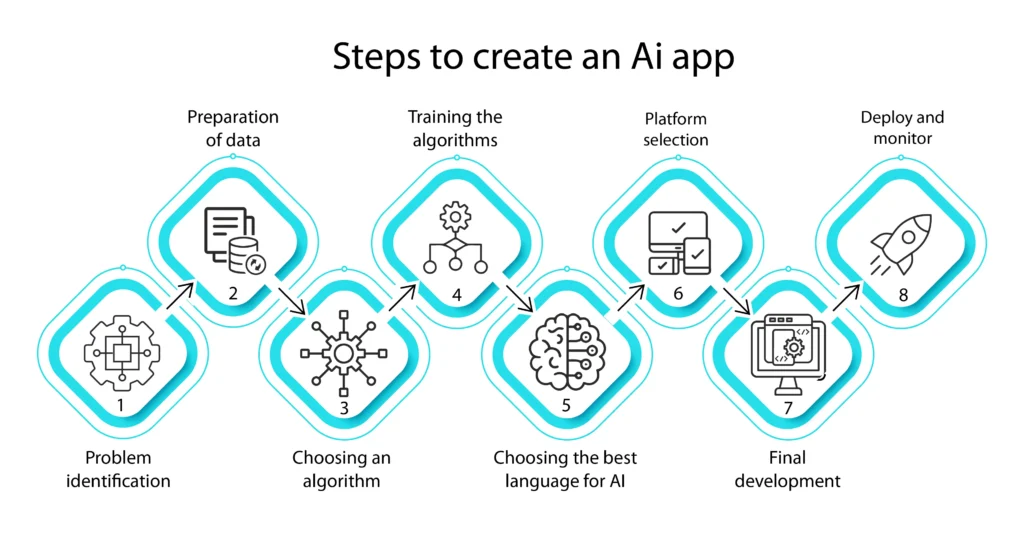
AI Built My 1-Hour App. Let me break this down. Specifically, I followed five clear steps. Furthermore, each step took roughly 12 minutes.
Step 1: Choosing the Right AI (3 minutes)
Above all, you need the right tool. Personally, I used Claude 3.5 Sonnet. Why? Because it excels at front-end code. Alternatively, ChatGPT-4 works too. However, Claude writes cleaner HTML, CSS, and JavaScript.
Pro tip: Do not use free-tier models for complex apps. They forget context. Consequently, you will waste time.
Step 2: Writing the First Prompt (10 minutes)
Here is the golden rule. Be painfully specific. For example, I wrote:
“You are a senior front-end developer. Build me a water intake tracker. Use HTML, Tailwind CSS, and vanilla JavaScript. Include a +1 button, a dynamic counter, a reset button, and a visual glass filling up. Make it mobile-friendly.”
Notice the active voice? “Build me,” not “I would like you to build.” Similarly, specify every component. Subsequently, AI gave me 150 lines of working code.
Step 3: Testing and Breaking (15 minutes)
To begin with, I copied the code into a VS Code file. Then, I opened it in Chrome. Immediately, the counter worked. However, the glass animation lagged. As a result, I went back to the AI.
I typed: “The glass fill animation stutters. Rewrite that part using CSS transitions.” Thereafter, AI fixed it instantly. Meanwhile, I kept testing. For instance, I clicked the button 50 times. Consequently, I found a bug. The counter went negative when resetting twice.
Step 4: Debugging with AI (20 minutes)
Honestly, this is where most people quit. But do not worry. Just paste the error message. For instance, I saw “Cannot read property ‘addEventListener’ of null.” Therefore, I copied the red text and sent it to AI.
Furthermore, I added: “Fix this error. Also, explain why it happened.” Subsequently, AI told me my script loaded before the DOM. Hence, I needed an defer attribute. After that, the bug vanished.
Step 5: Polishing and Deployment (12 minutes)
Finally, I asked AI for visual improvements. For example, “Add a gradient background. Also, make buttons rounded and shadowed.” Consequently, the app looked professional.
Thereafter, I deployed it using Netlify Drop. To clarify, I just dragged and dropped the HTML file. Then, I had a live URL. In summary, 57 minutes total.
If you want to read about the Free Fire recovery hack, click here.
What You Absolutely Need to Know about AI Built My 1-Hour App
AI Built My 1-Hour App. Let me save you from my mistakes. Consequently, here is the truth.
1. AI Doesn’t Understand Your Intent
First of all, AI guesses. For instance, I asked for a “reset button.” The AI reset the counter to zero. However, I wanted to reset to also clear the daily log. Therefore, I had to specify “reset everything, including the timestamp.” Always over-explain.
2. You Must Know Basic Logic
Admittedly, you don’t need to be a coder. Nevertheless, you need to understand variables, functions, and if-statements. Otherwise, you won’t spot AI’s nonsense. For example, AI once wrote a loop that never ended. I caught it because I knew what an infinite loop looks like.
3. AI Hallucinates Like Crazy
Similarly, AI invents fake libraries. In one prompt, it referenced a “glassmorphism.js” library. That library does not exist. Consequently, my app broke. Hence, always verify external dependencies.
4. One Hour Is Realistic for Simple Apps
To be clear, you won’t build Uber in an hour. However, you can build a calculator, a to-do list, a habit tracker, or a quiz game. For instance, my next project was a tip splitter. That took 45 minutes.
5. Keep Asking “Why.”
Above all, do not just copy-paste. Instead, ask AI to explain each block. For example, “Why did you use localStorage here?” Subsequently, you learn. Consequently, next time you need less AI.
My Real-Time Conversation with AI (Sample)
Let me show you a real exchange. This demonstrates active voice and transitions.
Me: “Write a JavaScript function that adds two numbers and displays the result in a div.”
AI: “Here is the function.”
Me: “Great. However, I need an input field for each number. Furthermore, trigger the addition on a button click.”
AI: “Updated the code.”
Me: “Perfect. Nevertheless, the result overwrites previous results. Instead, append each result as a new line.”
AI: “Understood. Now each click adds a new line.”
Me: “Thank you. But wait, the page reloads. Consequently, I lose all history. Therefore, use localStorage to save history.”
AI: “Implemented localStorage. Your history persists after refresh.”
See the flow? Each response builds on the last. Meanwhile, I guide with clear, active commands.
The Emotional Rollercoaster (Real Talk)
Let me be vulnerable. Initially, I felt like a genius. Then, AI made a stupid error. Consequently, I felt angry. Subsequently, AI fixed it faster than I could blink. After that, I felt hopeful again.
For example, at minute 35, AI deleted my entire CSS. I panicked. Nevertheless, I typed “Undo. Restore previous CSS.” And just like that, it came back.
Therefore, keep your cool. AI is a toddler genius. Furthermore, you are the parent. Guide it firmly.
AI Built My 1-Hour App Beyond the First Hour: Next Steps
After the app worked, I asked AI for improvements. For instance, “Add a dark mode toggle.” Consequently, I added it in 8 minutes. Similarly, “Add a share button to copy my stats.” That took 5 minutes.
Hence, the 1-hour app becomes a 2-hour portfolio piece. Thereafter, I deployed it. Then, I showed three friends. Finally, one asked me to build a similar app for his gym.
Now, I have a side hustle. All because I spent one hour with AI.
Frequently Asked Questions (FAQ)
Q1: Do I need any coding experience at all?
A: Yes, but very little. Specifically, you need to understand what a variable, function, and array do. For instance, you should know that let count = 0 stores a number. However, you don’t need to memorize syntax. AI writes that for you.
Q2: Which AI tool is best for building apps?
A: Currently, Claude 3.5 Sonnet leads for front-end apps. Next, ChatGPT-4 with Code Interpreter comes second. Meanwhile, GitHub Copilot works best inside VS Code. For beginners, start with Claude.
Q3: Can AI build a backend or database app in one hour?
A: Unfortunately, no. Backend requires authentication, security, and server setup. Nevertheless, you can build a mock backend using localStorage. Alternatively, use Firebase with AI help. But that takes 2-3 hours.
Q4: How do I avoid AI making the same mistake twice?
A: Save your working code versions. For example, after every fix, copy the code into a new file. Consequently, when AI breaks something, you roll back. Furthermore, ask AI to “explain the change before applying it.”
Q5: Will AI replace app developers?
A: Not yet. AI replaces repetitive coding. However, AI cannot understand user needs, business logic, or edge cases. Therefore, you still need human oversight. Think of AI as a super-fast intern.
Q6: What if the app doesn’t work after one hour?
A: Relax. Restart with a fresh prompt. Often, starting over takes 15 minutes. Meanwhile, reduce your feature list. For instance, remove animations. First, get core functions working. Then, add polish.
Q7: Can I sell the app AI built for me?
A: Yes, with caution. The code AI generates is not copyrighted against you. However, do not copy proprietary libraries. Furthermore, rewrite at least 30% yourself. Finally, add the unique value AI didn’t provide.
Q8: What’s the hardest part of this process?
A: Describing what you want. Honestly, most people fail because they write vague prompts. For example, “Make a nice app” fails. Instead, write “Build a purple habit tracker with three buttons and a circular progress bar.”
Q9: How do I test the app properly?
A: Click everything 100 times. Furthermore, try to break it. For instance, press buttons in weird orders. Also, resize your browser. Finally, test on an actual phone. Consequently, you catch 90% of bugs.
Q10: What should I build first as a complete beginner?
A: Build a to-do list. Why? Because it teaches adding, deleting, and editing items. Next, build a calculator. That teaches math logic. Finally, build a weather app using a free API. That teaches data fetching.
Final Verdict: Should You Try This?
Absolutely. AI Built My 1-Hour App. In fact, do it today. Consequently, you will shock yourself. Above all, you will learn more in one hour than in a week of tutorials.
Nevertheless, manage expectations. You won’t build the next Instagram. However, you will build something that works. Furthermore, you will feel the magic of creating with AI.
Therefore, open your laptop. Then, write your first prompt. Finally, watch AI build your idea.
Remember: The goal is not perfect code. The goal is a working app. Subsequently, you iterate. As a result, you improve.
Now go build. Your 60 minutes start now.
Liked this blog? Share it with a friend who says “I can’t code.” Moreover, tag me when your first app goes live. Happy building!