
Introduction: Let’s Be Honest
Imagine waking up. You grab your phone. You open Free Fire. But suddenly, your account is gone. Your diamonds? Vanished. Your rank? Someone destroyed it overnight.
It feels terrible. In fact, I know because it almost happened to me. Nevertheless, here’s the truth: you can stop this. Surprisingly, you don’t need to be a tech expert. Instead, you need to know a few simple habits.
So, how to not get hacked? You need to know the tricks hackers use. After that, you need to block them. Therefore, this guide will show you exactly how. Let’s start.
Free Fire Section 1: Why Do Hackers Want Your Free Fire Account?
First of all, let’s understand the enemy. Hackers don’t target you for fun. On the contrary, they want money.
Your Free Fire account has real value. For example, rare skins cost actual cash. Likewise, high-ranked accounts sell online for hundreds of dollars. Additionally, diamonds transfer easily. As a result, your account becomes a goldmine.
Moreover, hackers use stolen accounts to scam your friends. Specifically, they send fake messages. Then, they ask for login codes. Consequently, your friends trust you—so they fall for it.
For these reasons, protecting your account protects your community too.
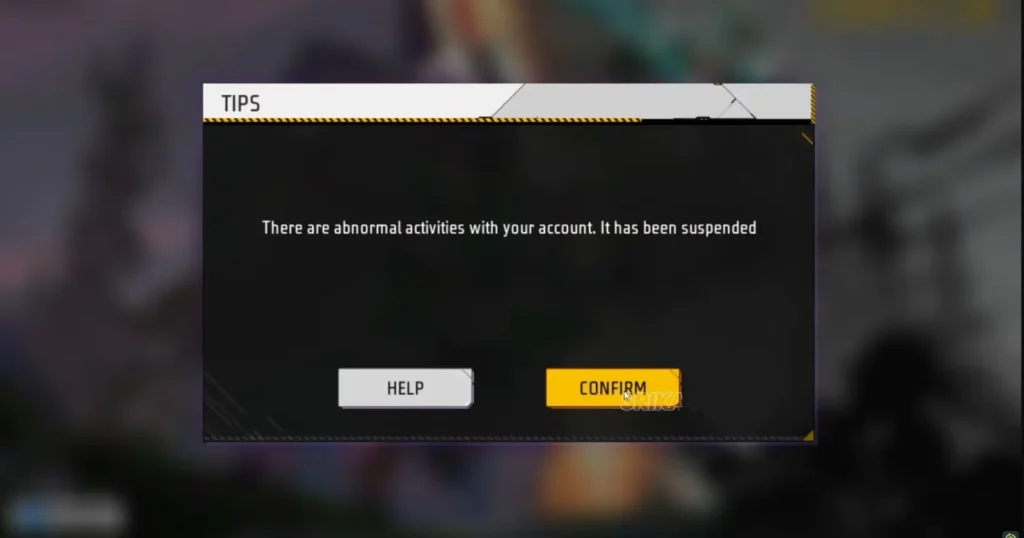
Free Fire Section 2: The Most Common Hacking Tricks You Need to Know
How do hackers actually steal accounts? Let me show you their top methods. Once you recognize them, you can avoid them easily.
Trick 1: Fake Free Diamond Websites
Firstly, you see a YouTube video. “Free 10,000 Diamonds!” it screams. So, you click the link. The website looks real. However, it asks for your Player ID and password.
Stop right there. This is a trap. Specifically, hackers create these sites. Then, they collect your login details. Finally, they steal everything.
Trick 2: Phishing Messages
Next, someone messages you in-game. “Hey, vote for my clan!” or “Check your free reward here.” The link looks official. But unfortunately, it leads to a fake login page.
You enter your password. As a result, boom—they own your account.
Trick 3: Keyloggers and Mod Apps
Similarly, you download a “Free Fire mod APK” from an unknown site. It promises unlimited diamonds. Instead, it installs a keylogger. This software records every password you type.
Furthermore, some mods steal your Facebook or Google login token. Consequently, you lose access within minutes.
Trick 4: Social Engineering
Finally, a stranger becomes your friend online. After weeks of chatting, they ask, “What’s your first pet’s name?” or “Where were you born?” These are common security questions. Then, they use your answers to reset your password.
Transitioning to solutions—now you know the traps. Therefore, let’s fix your defenses.
Free Fire Section 3: How to Lock Down Your Account Right Now
You need action, not just warnings. For this reason, follow these steps today. Each one takes less than five minutes.
Step 1: Enable Two-Factor Authentication (2FA)
First, go to your linked Facebook or Google account. Then, turn on 2FA. This means every login needs a code from your phone. As a result, even if hackers steal your password, they cannot enter without that code.
Do this now. In other words, do not skip it.
Step 2: Use a Strong, Unique Password
Next, stop using “password123” or your birthdate. Hackers crack these in seconds. Instead, create a long passphrase. For example: “BlueElephant$JumpsOver7Cats!”
Furthermore, never reuse passwords. Your Free Fire password should differ from your email or social media passwords. Therefore, use a password manager like Bitwarden or Google Password Manager. They remember everything for you.
Step 3: Link Your Account to Multiple Platforms
Additionally, Free Fire allows linking to Facebook, Google, VK, and Huawei. So, link at least two. Why? Because if a hacker compromises one, you still access your account through the other. Immediately, you can change passwords and kick them out.
Step 4: Never Share Your Verification Codes
Finally, someone asks for a six-digit code sent to your phone. They say, “I need it to verify you for a giveaway.” This is a lie. In reality, that code resets your password. No legitimate person ever asks for your verification code.
Repeat after me: I will never share my code.
If you want to read about how to recover a Roblox account, click here.
Free Fire Section 4: Daily Habits That Keep Hackers Away
Security is not a one-time setup. Instead, it becomes a lifestyle. Fortunately, these habits take almost no effort.
Habit 1: Log Out of Unknown Devices
Firstly, check your Free Fire login history. Do you see a device you don’t recognize? If so, remove it immediately. For instance, Garena lets you see connected devices in account settings.
Habit 2: Avoid Public Wi-Fi for Gaming
Next, coffee shops, airports, and hotels have unsecured networks. Hackers sit on the same Wi-Fi. Then, they intercept your login data. Therefore, wait until you get home. Alternatively, use your mobile data if you must play outside.
Habit 3: Download Only from Official Stores
Similarly, get Free Fire from the Google Play Store or the Apple App Store. Never download APKs from random websites. Likewise, avoid “mod menus” or “diamond generators.” They are 100% scams. No exception.
Habit 4: Update Your Game and Phone Regularly
Finally, game updates fix security holes. In the same way, phone updates patch vulnerabilities. Therefore, turn on automatic updates. As a result, you don’t even need to think about it.
Section 5: What to Do If You Have Already Been Hacked
Let’s say the worst happens. You cannot log in. Your password fails. What now?
First of all, do not panic. Instead, act fast.
Step 1: Try “Forgot Password”
First, use the recovery option on the login screen. Garena sends a reset link to your email or phone. If the hacker hasn’t changed those yet, you regain control immediately.
Step 2: Contact Garena Support
Next, go to the official Garena support website. Then, submit a ticket. Provide your Player ID, purchase receipts (screenshots of diamond top-ups), and your linked social media accounts. After that, support verifies your ownership. Consequently, they restore your account within a few days.
Step 3: Warn Your Friends
Similarly, tell your in-game friends not to click any links sent from your account. The hacker may impersonate you. Therefore, a quick message saves them from losing their accounts too.
Step 4: Scan Your Device for Malware
Finally, use antivirus software like Malwarebytes or Kaspersky. Then, scan your phone thoroughly. Remove anything suspicious. Otherwise, the hacker re-enters after you recover the account.
Section 6: Common Myths About Hacking—Busted
Let me clear up confusion. Many players believe false things. As a result, these myths make them vulnerable.
Myth 1: “I’m not famous, so nobody will hack me.”
Wrong. Hackers use automated bots. Specifically, they scan thousands of random accounts daily. Consequently, low-level accounts still sell for diamond farming.
Myth 2: “Changing my password every week helps.”
Not really. A strong password matters more than frequent changes. Instead, change it once every six months. However, make it long and random.
Myth 3: “Customer support always gives my account back.”
Sometimes yes, sometimes no. Without purchase receipts or linked social media, recovery becomes nearly impossible. Therefore, prevention remains your best tool.
Myth 4: “Two-factor authentication slows me down.”
It adds ten seconds to each login. Meanwhile, losing your account costs hundreds of hours. For that reason, those ten seconds are worth it.
Frequently Asked Questions (FAQ)
🔹 Account Recovery Questions
Q1: How to not get hacked in Free Fire if I already clicked a suspicious link?
Act immediately. First, change your password. Then, enable 2FA. After that, scan your phone with an antivirus. If you entered any verification code, contact Garena support right away.
Q2: You need to know if account sharing is safe.
No, it is not safe. Sharing your password with a friend doubles your risk. For example, that friend might accidentally fall for a scam. Alternatively, you two have a fight, and they revenge-hack you. Therefore, keep your account private.
Q3: How to recover a hacked account without email or phone number?
This is very difficult. First, you need to provide proof of purchase. Then, send screenshots of diamond top-ups from Google Play or Apple receipts. Additionally, support may ask for your first login date or device model. Consequently, keep this information safe.
🔹 Security Best Practices Questions
Q4: Can someone hack me just by knowing my Player ID?
No. Your Player ID alone does not give access. However, hackers use your ID to send fake “Garena official” messages. Therefore, ignore those messages.
Q5: You need to know if using a VPN causes hacking risks?
A trusted VPN (like NordVPN or ProtonVPN) actually improves security. Nevertheless, a free, unknown VPN may sell your data. For this reason, stick to reputable services. Finally, never enter your Free Fire password while using a suspicious VPN.
Q6: How to spot a fake Free Fire website?
First, check the URL carefully. Official Garena sites use “https://ff.garena.com” or similar. In contrast, fake sites add extra words like “free-diamonds.net.” Also, look for spelling errors. Lastly, real sites never ask for your verification code.
🔹 Game-Specific Questions
Q7: My friend says they can give me free diamonds. Should I trust them?
No. Only Garena provides diamonds through official top-ups. In fact, even close friends cannot generate free diamonds. If your friend insists, they either believe in a scam or try to hack you. Therefore, politely refuse.
Q8: You need to know if reporting a hacker in Free Fire is enough.
Reporting helps the community, but it does not secure your account. Instead, focus on your own 2FA and strong passwords. Then, report suspicious players through the in-game system.
Conclusion: You Hold the Power
Let me summarize everything.
First, you learned how hackers operate. Specifically, you discovered their fake diamond sites, phishing messages, and mod APK traps. More importantly, you learned how to stop them.
Therefore, enable two-factor authentication. Next, use strong passwords. Additionally, download only from official stores. Finally, never share your verification code. As a result, these simple actions block 99% of attacks.
Transitioning to your next step—do one thing today. Open your Free Fire account. First, turn on 2FA if you haven’t. Then, change your password to a passphrase. In conclusion, it takes three minutes. Those three minutes save you weeks of heartbreak.
Remember: hackers target easy victims. For this reason, do not be easy. Stay alert. Stay safe.
Finally, share this guide with your squad. One hacked teammate leads to hacked friends. Together, you build a safer community.
You now know how to not get hacked. So go protect your account.