
How to Pick: WordPress or Blogger, You Need to Know This Before You Start
WordPress or Blogger, First of all, you finally decide to start a blog. Consequently, you feel excited. Similarly, you imagine sharing your ideas with the world. Then reality hits. Specifically, you see two big names everywhere: WordPress or Blogger. So, which one should you pick? Moreover, do you need technical skills? Furthermore, will one cost you more money? Nevertheless, do not worry. In fact, I will help you decide. By the end of this guide, you will know exactly which platform fits your needs. Therefore, let’s dive right in.
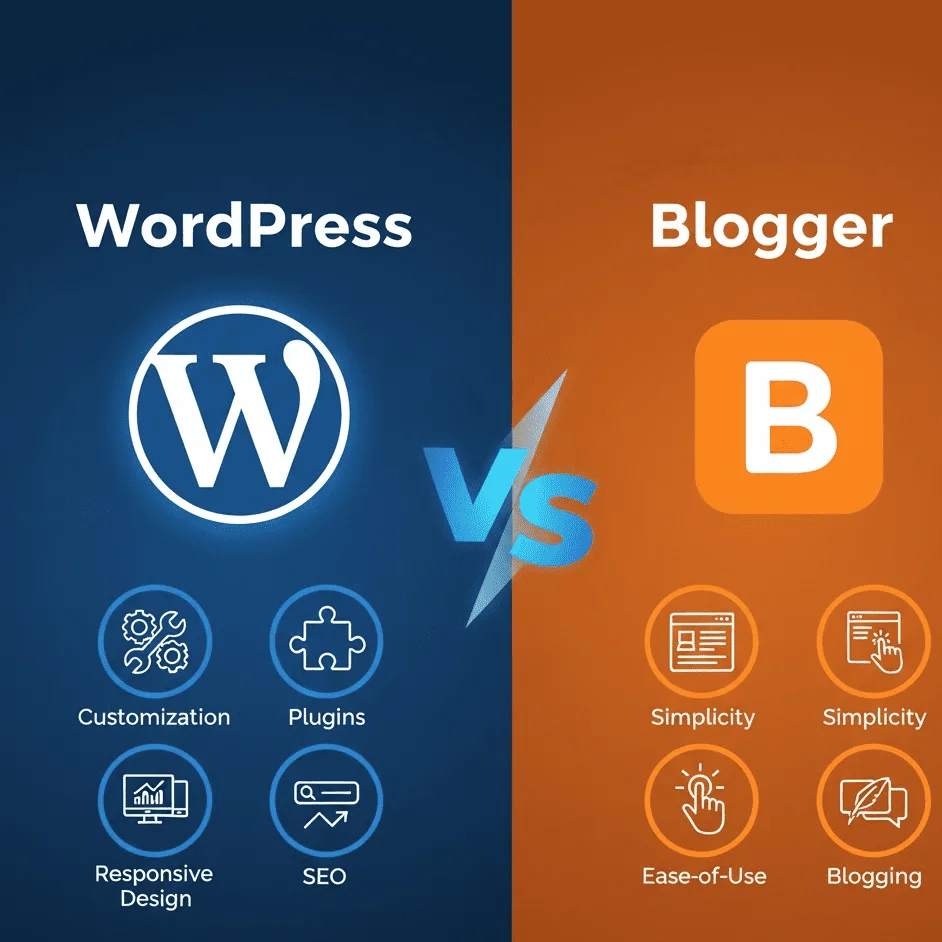
WordPress or Blogger: Why This Choice Matters More Than You Think
To begin with, WordPress or Blogger: many beginners rush this decision. As a result, they pick a platform. Later on, they regret it deeply. For instance, moving your blog from one platform to another becomes a complete nightmare. Likewise, you lose traffic. Similarly, you lose search rankings. In addition, you waste hours fixing broken links. For this reason, you need to choose wisely from day one.
I remember my first blog very clearly. Specifically, I picked the wrong platform. As a result, I struggled for months. Therefore, do not repeat my mistake. Instead, take fifteen minutes to read this guide. Afterward, you will see that it saves you years of frustration.
WordPress or Blogger: First, Let Me Introduce Both Platforms Clearly
What Is WordPress?
First of all, WordPress comes in two versions. On one hand, there is WordPress.com. This is a hosted solution. Accordingly, you do not need to buy separate hosting. On the other hand, there is WordPress.org. This is self-hosted. Specifically, you download the software. Then you buy your own hosting. After that, you install WordPress yourself. In reality, most professionals use WordPress.org because it gives you total control.
Furthermore, WordPress powers over 40% of all websites on the internet. That is huge. For example, big brands use WordPress. Similarly, small bloggers use WordPress. In addition, even e-commerce stores use WordPress.
What Is Blogger?
Now, let me introduce Blogger. First of all, Blogger belongs to Google. That is right. Google owns this platform. In fact, Blogger started in 1999. Then Google bought it in 2003. As a result, many old-school bloggers still love Blogger. Why? Because it is simple. Moreover, it is free. In addition, it connects directly to your Google account. Consequently, you do not need hosting. Likewise, you do not install anything. Instead, you log in and start writing.
However, Blogger shows its age today. Specifically, Google does not update it often. As a result, many features feel outdated. Nevertheless, for basic blogging, it still works fine.
WordPress or Blogger: The Major Differences You Need to Know
Now, let me break down every important area. Specifically, I will compare WordPress and Blogger side by side.
1. Cost: Free vs Not So Free
First of all, Blogger stays completely free forever. In other words, you pay nothing. For instance, Google gives you free hosting. Likewise, you get a free subdomain yourblog.blogspot.com. Furthermore, you can also buy a custom domain. That costs around $12 per year. Nevertheless, the platform itself never charges you.
On the other hand, WordPress.org requires hosting. Specifically, hosting costs start at $3 to $10 per month. In addition, you also need a domain name. That costs around $12 per year. Moreover, some premiums cost money. Similarly, some plugins cost money. Therefore, WordPress usually costs $60 to $120 per year at a minimum.
So, what is my take on cost? If you have zero budget, start with Blogger. However, if you can spend a few dollars monthly, choose WordPress. After all, the extra features justify the cost.
2. Ease of Use: Which Platform Welcomes Beginners?
First of all, Blogger wins this round easily. For example, you log into your Google account. Then you click “New Post.” After that, you start typing. That is it. In other words, no settings to configure. Likewise, no plugins to install. Similarly, no backups to manage. Instead, Google handles everything behind the scenes.
On the other hand, WordPress has a learning curve. Specifically, you need to install themes. In addition, you need to install plugins. Furthermore, you need to update your software regularly. Likewise, you need to set up backups. Similarly, you need to configure security settings. At first, this feels overwhelming. Nevertheless, after two weeks, it becomes second nature.
Transitioning to the next point, ease of use matters for casual bloggers. However, serious bloggers accept a steeper learning curve in exchange for more power.
3. Customization and Design Options
Without a doubt, WordPress destroys Blogger here. Absolutely destroys it. First of all, WordPress offers thousands of free themes. In addition, you can also buy premium themes for 30 to 60. Furthermore, every element on your site becomes customizable. For instance, colors, fonts, layouts, headers, footers, and sidebars. You name it, and you can change it. Moreover, plugins add even more functionality. For example, do you want a forum? Just add a plugin. Similarly, do you want an online store? Add WooCommerce. Likewise, do you want a membership site? Add a plugin.
In contrast, Blogger gives you limited templates. Specifically, maybe twenty to thirty options. As a result, customization stays basic. For instance, you can change colors and fonts. Similarly, you can add a background image. However, you cannot create complex layouts. Furthermore, you cannot add advanced features without editing HTML code. Even then, Blogger lacks modern design flexibility.
Therefore, if design freedom matters to you, choose WordPress without any hesitation.
4. Ownership and Control
This point often confuses beginners. So, let me explain it clearly.
First of all, with WordPress.org, you own everything. Specifically, you own your content. Likewise, you own your database. Similarly, you own your files. As a result, you can move your site anywhere. Furthermore, you can sell your site. In addition, you can back up your site. Finally, nobody can shut you down without a good reason.
On the other hand, with Blogger, Google owns the platform. In other words, you keep your content’s intellectual property. However, Google controls the infrastructure. Therefore, if Google decides to shut down Blogger tomorrow, you lose everything. That sounds scary, right? Nevertheless, Google rarely shuts down major products without warning. Still, the risk exists. Moreover, Google can delete your blog if you violate its terms. In addition, you cannot export your design easily. Consequently, moving away from Blogger requires manual work.
For this reason, serious bloggers choose WordPress. Meanwhile, hobbyists choose Blogger.
5. Monetization Options
You want to make money from your blog. I understand that completely. So, let me show you how each platform handles monetization.
First of all, WordPress gives you total freedom. For example, you can display Google AdSense. Similarly, you can join Mediavine or AdThrive for higher ad revenue. In addition, you can sell your own products. Furthermore, you can promote affiliate links. Likewise, you can create sponsored posts. Finally, you can accept direct payments. In short, no restrictions at all.
In contrast, Blogger limits you significantly. For instance, you can use Google AdSense. That works fine. However, you cannot join premium ad networks like Mediavine because they require a self-hosted WordPress. On the positive side, you can use affiliate links. That works. Nevertheless, selling products directly becomes difficult. Specifically, you need third-party services for payments. In addition, Blogger’s terms also restrict certain monetization methods.
Thus, WordPress wins the monetization battle easily.
6. SEO and Traffic Generation
WordPress or Blogger: Search engine optimization drives free traffic. Therefore, you need search engines to find your blog.
First of all, WordPress offers powerful SEO plugins. For example, Yoast SEO and Rank Math help you optimize every post. Specifically, you control meta titles, descriptions, URL structures, and internal linking. In addition, you generate XML sitemaps automatically. Furthermore, you can add schema markup easily. In short, WordPress gives you every SEO tool that exists.
On the other hand, Blogger provides basic SEO features. For instance, you can edit meta tags. Similarly, you can customize URLs. However, you lack advanced tools. Specifically, no XML sitemap control. Likewise, no schema markup plugins. Similarly, no internal linking suggestions. As a result, Blogger works fine for small blogs. Nevertheless, competing in competitive niches becomes very hard.
Therefore, if you want serious organic traffic, choose WordPress without question.
7. Long-Term Scalability
Where do you see your blog in three years? You might start small today. But what if you grow to 100,000 monthly visitors? Then the question becomes, can your platform handle that?
First of all, WordPress scales beautifully. For example, you start on shared hosting. Then you move to VPS hosting. After that, you move to dedicated servers. Alternatively, you use managed WordPress hosting like Kinsta or WP Engine. As a result, WordPress handles millions of visitors without breaking a sweat.
In contrast, Blogger struggles with large sites. Technically, Google’s infrastructure handles traffic easily. However, Blogger’s architecture limits database size. For instance, some bloggers report slowdowns after 1,000 posts. In addition, navigation becomes clunky. Furthermore, advanced features become impossible. Therefore, Blogger works only for small, simple blogs.
Step-by-Step: How to Pick the Right Platform for You
WordPress or Blogger: Now, let me give you a simple decision framework. First, answer these questions honestly.
Step 1: Ask yourself about your budget.
If you have zero dollars, pick Blogger. On the other hand, if you can spend $5 monthly, pick WordPress.
Step 2: Next, ask yourself about your technical comfort.
If you hate learning new software, pick Blogger. Conversely, if you enjoy tinkering, pick WordPress.
Step 3: After that, ask yourself about your long-term goals.
If you just want an online diary, pick Blogger. However, if you want a business or a brand, pick WordPress.
Step 4: Finally, ask yourself about monetization.
If you want to share your thoughts, either platform works. Nevertheless, if you want to earn a full-time income, pick WordPress.
Following this framework, you can decide in under two minutes.
My Personal Recommendation
WordPress or Blogger: Here is my honest advice after blogging for many years.
First of all, if you are a complete beginner with no money and no technical interest, start with Blogger. That way, you learn the basics of blogging. Then write twenty posts. After that, see if you enjoy it. Later, if you outgrow Blogger, migrate to WordPress. You will lose some time, but you will gain valuable experience.
However, if you have even a small budget and a desire to grow, start directly with WordPress. In that case, skip Blogger entirely. The learning curve feels steep at first, but you will thank yourself later. As a result, you avoid a painful migration. Furthermore, you build your site on a professional foundation from day one.
Nevertheless, both platforms can work. Therefore, choose what fits your current situation. After all, you can always change your mind later.
Common Myths About WordPress and Blogger
WordPress or Blogger: Let me bust some myths quickly.
Myth 1: WordPress is only for tech people.
False. In fact, modern WordPress requires zero coding. For example, drag-and-drop builders like Elementor make design easy. As a result, plenty of non-developers run successful WordPress sites.
Myth 2: Blogger is dead.
False. In reality, Blogger still has millions of active users. Furthermore, Google continues supporting it. Therefore, for personal blogs, Blogger works perfectly fine.
Myth 3: WordPress is always expensive.
False. In fact, basic WordPress hosting costs less than a coffee each month. Accordingly, you can start for under $50 per year.
Myth 4: Google prefers Blogger sites.
False. Specifically, Google treats all platforms equally. Therefore, your content quality matters more than your platform.
WordPress or Blogger: Frequently Asked Questions (FAQ)
Q1: Can I move from Blogger to WordPress later?
Yes, you can. Specifically, WordPress provides an official Blogger importer. As a result, you import all your posts, comments, and images. However, your design does not transfer. Furthermore, your URLs also change unless you set up redirects.
Q2: Do I need to buy hosting for Blogger?
No, you never need hosting for Blogger. In fact, Google gives you free hosting forever.
Q3: Does WordPress cost money up front?
The WordPress software itself stays free. However, you pay for hosting and a domain name. Typically, that costs 50to100 for the first year.
Q4: Which platform handles images better?
WordPress gives you more control. For instance, you can optimize images, add alt text easily, and use lazy loading. In contrast, Blogger works fine for basic images but lacks optimization features.
Q5: Can I use my own domain name on both platforms?
Yes, both support custom domains. For example, on Blogger, you buy a domain and point it to Blogger. On the other hand, on WordPress, you install WordPress on your domain directly.
Q6: Which platform is more secure?
Blogger wins for hands-off security. Specifically, Google manages everything, so you do nothing. In contrast, WordPress requires you to manage updates and backups. Nevertheless, a well-maintained WordPress site stays very secure.
Q7: Can I run ads on both platforms?
Yes, you can run Google AdSense on both. However, WordPress allows many additional ad networks. On the other hand, Blogger restricts you mostly to AdSense.
Q8: How long does it take to set up each platform?
Blogger takes five minutes. In contrast, WordPress takes thirty minutes to an hour for your first installation.
Q9: Does Google own my content on Blogger?
No, you own your content. However, Google owns the platform. Specifically, their terms give them a license to display your content, but you retain full copyright ownership.
Q10: Can I make a full-time income from both platforms?
You can earn a full-time income from WordPress. In fact, many bloggers do. However, earning a full-time income from blogging is very rare due to monetization limits.
Final Thoughts: Make Your Decision Today
WordPress or Blogger: Now, stop overthinking. Instead, pick one platform and start writing today. After all, paralysis by analysis kills more blogs than any platform limitation ever will.
If you pick Blogger, enjoy the simplicity. Then write consistently. After that, build your audience. Meanwhile, learn the craft of blogging. Finally, after six months, reassess your needs.
If you pick WordPress, invest time in learning. First, install security plugins. Next, set up backups. Then, learn basic SEO. As a result, the effort pays off tremendously.
Remember this above all: your content matters more than your platform. For example, a great blog on Blogger outperforms a terrible blog on WordPress every single time. Therefore, focus on value. Likewise, focus on helping your readers. Similarly, focus on showing up consistently.
Now close this tab. Then open your chosen platform. After that, write your first post. Finally, remember that your future readers are waiting for you.