
How to Master MongoDB: What You Need to Know
MongoDB has changed how developers work with data since 2009. It offers a flexible way to store information without the strict rules of traditional databases. Consequently, learning this tool well can help your career grow. Whether you build a small app or handle complex data systems, you need to understand its main ideas and advanced tools. Therefore, this guide shows you everything step by step. We start with a basic setup and move to advanced tricks. Ultimately, you will have a strong base for mastering MongoDB.
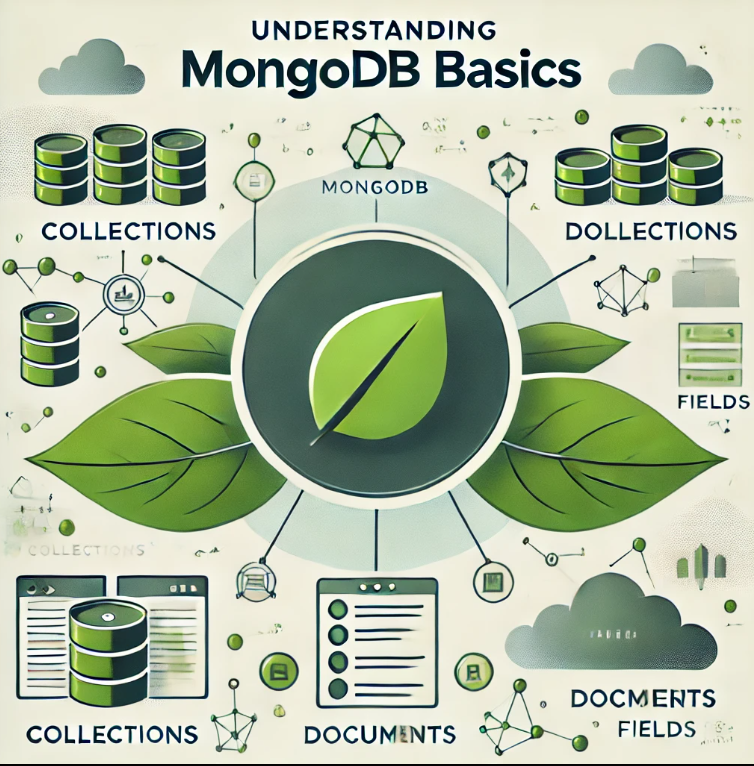
Understanding MongoDB: The Document Database Revolution
Before you start coding, you need to know what makes it special. Old databases store data in tables with fixed structures. MongoDB stores data in flexible documents instead.
What Exactly Is MongoDB?
It is a NoSQL database. It stores data in documents that look like JSON. The technical name is BSON, which is Binary JSON. Then, this method gives you freedom. Your documents can have different fields each time. Consequently, MongoDB adapts to what your app needs right now. You avoid those painful database changes later.
Key Advantages Over Relational Databases
It gives you some big benefits for modern apps:
- Flexible Schema: Firstly, you can change your data structure while the app runs. No downtime needed.
- Horizontal Scaling: Secondly, it spreads data across many servers with ease.
- High Performance: Thirdly, Good indexes and aggregation tools make queries fast.
- Developer-Friendly: Then, JSON documents look just like objects in your code.
Furthermore, it now supports ACID transactions for older databases. Since version 4.0, you can run multi-document transactions across servers. Therefore, even banks use MongoDB for their core systems.
If you want to read about Anyscale. AI, click here.
Getting Started: Installation and Setup
Consequently, your path to its mastery starts with installing and setting it correctly.
Installing MongoDB on Your System
For Windows users, go to the website and download the latest version. During setup, pick the option to run MongoDB as a Service. After that, open Command Prompt and type mongosh to check it works.
For macOS users, use Homebrew with these simple steps :
brew tap mongodb/brew
 install mongodb-community
brew services start mongodb/brew/mongodb-community
For Linux users on Ubuntu, try these commands :
sudo apt-get install -y mongodb
sudo service mongodb start
Connecting to MongoDB
After installation, you connect to your server. Then, use the Mongo shell for this. Just type mongosh in your terminal. This opens the shell and connects to your local server on port 27017.
Creating Your First Database
Here is something interesting. It does not need you to create a database first. Instead, it makes the database when you add your first data. To switch to a new database, use the use command :
use myDatabaseEssential CRUD Operations
Now it is running. Let’s look at the basic tasks you will use every day.
Creating Documents
To add one document to a collection, use insertOne():
db.users.insertOne({
    name: "John Doe",
    age: 30,
    city: "Chicago",
    interests: ["coding", "hiking", "photography"]
})
It adds a unique _id field to every document on its own.
To add many documents at once, use insertMany() :
db.users.insertMany([
    { name: "Alice", age: 25, city: "New York" },
    { name: "Bob", age: 28, city: "Los Angeles" }
])
Reading Documents
Getting data back is easy with the find() method. To see all users :
db.users.find()For more specific searches, add a filter document:
db.users.find({ city: "New York" })Updating Documents
MongoDB has strong tools for updates. To change one document :
db.users.updateOne(
    { name: "John Doe" },
    { $set: { age: 31 } }
)
To update many documents at once :
db.users.updateMany(
    {},
    { $inc: { age: 1 } } // This adds 1 to age for all users
)
Deleting Documents
Removing data works the same way :
db.users.deleteOne({ name: "John Doe" })
db.users.deleteMany({ age: { $lt: 25 } }) // This deletes users under 25
Advanced MongoDB: Mastering Performance and Scalability
Moving from basics to advanced topics is where you really learn MongoDB.
Schema Design Best Practices
Design around your queries first. With old databases, you model data and then write queries. With it, you should start by asking :
- Which queries run most often?
- What data do users always fetch together?
When to embed documents: Embedding keeps related data in one place. This makes reading faster. For example, put addresses inside user documents. You almost always need them together.
When to use references: Use references when the extra data grows large. Also, use them when many documents share the same data. For instance, separate reviews from movies. One movie can have thousands of reviews.
Avoid deep nesting: Documents with more than two nested levels often signal poor design. Consequently, queries become messy, and updates run slowly.
Indexing for Lightning-Fast Queries
Indexing is the most important speed trick you can learn. Good indexes can cut query time from seconds to milliseconds.
Single field indexes: Create indexes on fields you search often:
db.users.createIndex({ email: 1 })Compound indexes: For queries that filter on several fields:
db.users.createIndex({ city: 1, age: -1 })Text indexes: Add full-text search to your app:
db.users.createIndex({ name: "text", bio: "text" })TTL indexes: Remove old data automatically:
db.sessions.createIndex({ createdAt: 1 }, { expireAfterSeconds: 3600 })Aggregation Framework: Data Processing Powerhouse
The aggregation framework processes data through pipeline stages. It lets you do complex data work.
Here is an example. It groups users by city and finds the average age :
db.users.aggregate([
    { $match: { age: { $gte: 18 } } },
    { $group: {
        _id: "$city",
        averageAge: { $avg: "$age" },
        totalUsers: { $sum: 1 }
    }},
    { $sort: { totalUsers: -1 } }
])
Recent tests show that good aggregation pipelines run 68% faster. They also use 43% less memory.
Sharding: Horizontal Scaling Mastery
When your data grows too big for one server, sharding spreads it across machines.
Choosing a shard key: Pick a field that appears in many queries. It should have many unique values. For example, userId they customerId often work well.
Important caution: Queries without the shard key must check every shard. This takes more time. Therefore, always include the shard key in your queries when you can.
Replication for High Availability
Replication keeps your data safe when servers fail. A replica set has one primary node. It also has several secondary nodes that copy data automatically.
Benefits of replication:
- Firstly, the system fixes itself during outages.
- Secondly, you can send read queries to secondary nodes.
- Thirdly, your data stays safe with servers in different places.
Real-World Application Scenarios
MongoDB works great in many real situations :
E-commerce platforms: Firstly, MongoDB handles product lists, orders, and customer data well. Furthermore, its flexible schema works for products with different features.
IoT applications: Secondly, Factory systems use it to read millions of sensor points per second. For instance, rocket launches create over one million data points per second. MongoDB handles this with ease.
Content management systems: Thirdly, News sites store articles, comments, and media in MongoDB. The document model fits different content types naturally.
Real-time analytics: Then, Retail stores study customer data as it comes in. They adjust stock and marketing plans right away.
Common Mistakes to Avoid
Even good developers make mistakes sometimes. Therefore, watch out for these issues :
Using unbounded arrays: Arrays that keep growing can hit the 16MB document size limit.
Ignoring indexes until production: Speed problems get much harder to fix later.
Treating it like a relational database: Learn document patterns instead of forcing old habits.
No schema validation: MongoDB does not need a fixed schema. But adding some validation keeps your data clean.
Changing field types dynamically: Mixed data types break your queries and app code.
Conclusion
Mastering it means learning both the basics and the advanced tricks. In this guide, we covered everything from simple CRUD to complex sharding plans.
Keep these key points in mind:
- Firstly, start with schema design based on your app’s query patterns.
- Secondly, use indexes wisely to boost speed.
- Thirdly, use the aggregation framework for complex data tasks.
- Then, plan for growth with sharding and replication.
- Finally, skip common errors by following best practices.
Consequently, your path to its mastery will change how you build and scale apps. The database world keeps moving forward. But MongoDB’s flexibility, speed, and developer focus will keep it useful for years to come.
Now go build something great with MongoDB!
Frequently Asked Questions about MongoDB
Is MongoDB hard to learn for new users?
No, it is quite easy! The document model feels natural to most developers. It looks like JSON. Also, the query style makes sense. Most new users feel comfortable after just a few days of practice.
Does MongoDB support transactions?
Yes, it does! Since version 4.0 came out in 2018, MongoDB has supported full ACID transactions across servers. Therefore, you can keep data safe even in complex tasks.
How does MongoDB handle very large data sets?
MongoDB scales out across many servers through sharding. It spreads data around on its own. Plus, replication keeps things running. Consequently, MongoDB runs some of the biggest apps in the world.
Can I use MongoDB for analytics?
Yes, you can! it Atlas comes with special analytics nodes, data federation, and built-in charts. These tools let you run analytics on live data without slowing down your app.
What makes MongoDB different from SQL databases?
SQL databases store data in rigid tables with fixed schemas. MongoDB uses flexible documents that grow with your app. Also, MongoDB keeps related data together. This means you avoid slow join operations.