
Unlock the Battlefield: Your Ultimate Guide to Free Fire Custom Rooms
Have you ever dreamed of creating your own perfect match in Free Fire? Perhaps you want to host a tournament for your friends. Maybe you simply want to practice new strategies without the pressure of ranked play. Fortunately, the game offers a fantastic feature for all these scenarios: Custom Rooms.
Understanding how to access this feature, however, can be a little confusing at first. Consequently, this guide will walk you through every single step. Then, we will break down the process into simple, easy-to-follow instructions. Ultimately, you will learn exactly how to create your own private battlefield.
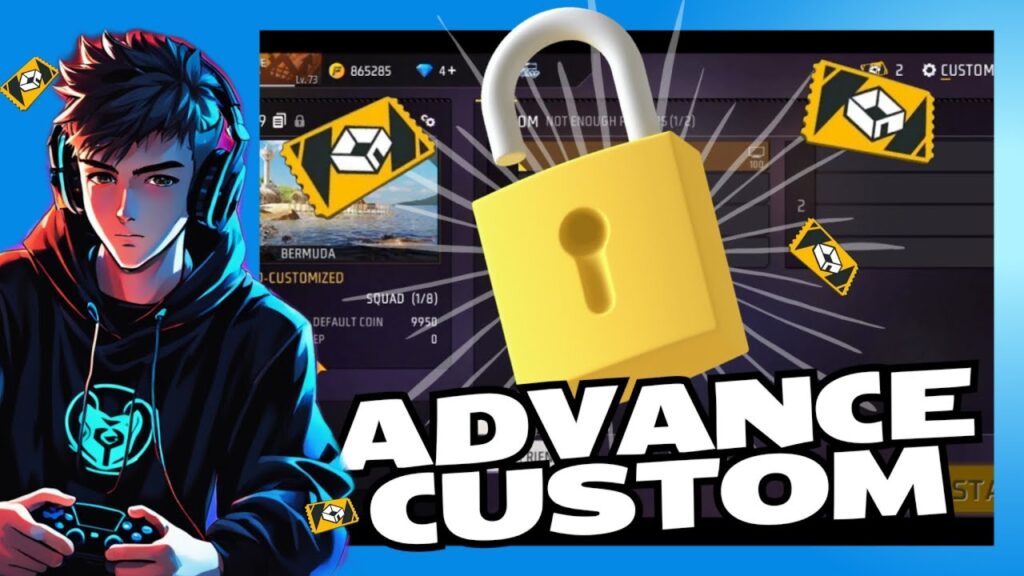
What Exactly is a Custom Room?
First of all, let’s clarify what a Custom Room is. Essentially, it is a private match that you control. Unlike standard or ranked matches, you decide the rules. Moreover, you choose the map, the game mode, and, most importantly, who gets to play. Therefore, it becomes the ultimate tool for personalized gameplay. Then, you can organize clan wars, practice with your squad, or just have fun with a select group of people.
The Key Requirement: The Custom Room Card
Now, here is the most critical part. You cannot simply open a custom room from the main menu. Unlike other game modes, it requires a specific key. This key is called a Custom Room Card.
Think of this card as your ticket to becoming a match host. Without it, the custom room feature remains locked. Moreover, Garena designed it this way to manage server load and ensure the feature is used meaningfully. So, your primary mission is to get one of these cards.
How to Get a Custom Room Card: Your Three Main Paths
Fortunately, there are several reliable ways to acquire a Custom Room Card. Let’s explore your main options, starting with the most straightforward method.
1. Purchase from the In-Game Store (The Direct Route)
The easiest and most guaranteed way is to buy the card from the store.
- Firstly, navigate to the in-game store.
- Next, look for the “Loot” or “Items” section.
- Then, scroll until you find the Custom Room Card. It usually costs a specific amount of diamonds.
- Finally, confirm your purchase. The card will appear in your inventory.
Moreover, this method is perfect if you need a room immediately and have diamonds to spare. It is a simple transaction with instant results.
2. Participate in Special Events (The Free Route)
Garena frequently runs special events and login calendars. Often, they offer Custom Room Cards as rewards. Then this is an excellent way to get them without spending any diamonds.
- For instance, check the event section daily.
- Similarly, Then, complete all the listed missions during major game updates or festivals.
- As a result, you might earn a card just for playing the game regularly.
Persistence is key here. While not always available, this method rewards active and patient players.
3. Claim from the Ranked Store (The Competitive Route)
If you play ranked mode, you earn ranked tokens. You can exchange these tokens for various rewards in the Ranked Store. Sometimes, Custom Room Cards appear there.
- Therefore, grind your ranked matches to collect tokens.
- After that, visit the Ranked Store.
- Consequently, you might snag a card while also improving your rank.
Moreover, this method kills two birds with one stone. You improve your skills in ranked mode and get a reward for hosting casual matches.
Your Step-by-Step Guide to Creating Your First Custom Room
Once you have the precious card in your inventory, you are ready to begin. Then, follow these steps carefully to launch your match.
Step 1: Locate the Custom Room Icon
From the main lobby, look for the game mode menu. Usually, you will see an icon that says “Custom” or has a small door symbol. Tap on it to proceed.
Step 2: Select ‘Create Room’
The game will now show you two options: ‘Join Room’ and then, ‘Create Room’. Obviously, you want to click on ‘Create Room’.
Step 3: Consume Your Custom Room Card
At this point, the game will check your inventory. It will prompt you to use one Custom Room Card. Confirm your action. Importantly, remember that the card is consumed upon use, so make your match count!
Step 4: Configure Your Match Settings
This is the fun part! Now you have full control. You can:
- Choose a Map: Select from Bermuda, Kalahari, Purgatory, or any available map.
- Set the Mode: Decide between Classic, Clash Squad, or Big Head.
- Adjust the Room Type: Make it open for anyone or private with a password.
- Invite Players: Then, send invites directly to your friends or post the room ID in your clan chat.
Step 5: Start the Game!
Once you have enough players, hit the ‘Start’ button. Congratulations! You are now the official host of your very own Free Fire match.
If you want to read about BR rank tricks, click here.
Pro-Tips for an Amazing Custom Room Experience
Creating the room is just the beginning. To make it truly memorable, consider these pro-tips.
- Plan Ahead: Before you even use the card, decide the purpose of the room. Is it for practice? Then maybe set a password. Is it for a public tournament? Then clearly communicate the rules to all participants.
- Use a Password for Privacy: If you are playing with close friends, always set a password. This prevents random players from joining and disrupting your game.
- Experiment with Settings: Then, custom rooms are perfect for trying weird strategies. Practice driving routes, test grenade throws, or have a pistol-only match. The freedom is yours!
- Communicate the Room ID Clearly: If you are hosting a large group, post the room ID multiple times on your social media or clan channel. This ensures everyone can find and join the game.
Frequently Asked Questions (FAQ)
Q1: Can I get a free Custom Room Card?
Yes, absolutely. You can get free cards by actively participating in special in-game events and by claiming rewards from the ranked store with your tokens.
Q2: How many players can join my custom room?
The player capacity depends entirely on the game mode you select. For a classic Battle Royale mode, you can host up to 50 players. However, for Clash Squad, the limit is only 8 players.
Q3: Do I get any rewards for playing in a custom room?
No, you do not receive any experience, character XP, or loot for playing in custom rooms. The primary purpose is for fun, practice, and private tournaments.
Q4: What happens if I exit the room after creating it?
If you are the host and you leave the room, the entire match will end for everyone. Therefore, make sure you are committed to staying for the entire session once you start.
Q5: Can I save a custom room configuration for later?
Unfortunately, Free Fire does not currently allow you to save room settings. You have to configure the map, mode, and rules every single time you create a new room.
Conclusion: Your Arena Awaits
In conclusion, Custom Rooms are a powerful and fun feature in Free Fire. They unlock a world of possibilities beyond the standard matchmaking. While getting a Custom Room Card requires some effort or resources, the experience is undoubtedly worth it.
Now you possess all the knowledge to host your own epic matches. So, go out there, grab a card, and create the battle you have always wanted. The battlefield is yours to command