
Introduction
3D models, have you ever stared at a blank 3D canvas, completely stuck? You have a fantastic idea in your head, but the path to creating it feels miles long. Traditionally, building a 3D model meant spending hours, days, or even weeks learning complex software. But what if you could describe your idea and watch it come to life? This is no longer science fiction; it’s the magic of modern 3D model generation.
Additionally, this technology is changing the game for everyone: game developers, designers, artists, and hobbyists. So, if you’re curious about how it works and how you can use it, you’re in the right place. Then this guide will walk you through the entire process, from your first idea to a finished, usable 3D asset. Let’s dive in and demystify this exciting creative tool together!
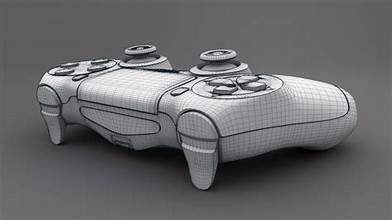
What Exactly is 3D Model Generation?
First of all, let’s break down what we’re talking about. Essentially, 3D model generation is the process of using software to create a three-dimensional digital object. However, the term now most excitingly refers to using Artificial Intelligence (AI) to create these models.
This doesn’t replace artists; instead, it empowers them. Think of it as having a super-fast digital assistant that can draft ideas, create base models, and inspire new directions at an incredible speed.\
If you want to read about the Masterpiece Studio, click here.
How Does AI 3D Model Generation Actually Work?
You might be wondering about the mechanics behind the magic. Fundamentally, AI models are trained on massive datasets containing millions of images and 3D models. Through this training, the AI learns the relationships between words and shapes, textures, and concepts.
A Step-by-Step Guide to Generating Your First 3D Model
Ready to try it for yourself? The process is surprisingly straightforward. Here’s how to get started from scratch.
Step 1: Choose Your Tool for 3D models
Firstly, you need to pick a platform. Many options are available now, such as:
- Masterpiece Studio: Excellent for beginners and pros. It offers both AI generation and VR sculpting.
- Kaedim: Great for generating models quickly for game development.
- GET3D: A powerful option from NVIDIA.
- Deep Dream Generator also offers image and 3D generation from text.
Most of these platforms offer free tiers or trials, so you can experiment without commitment.
Step 2: Craft Your Text Prompt with 3D models
This is the most important step! The AI can only work with what you tell it. Therefore, be specific but concise. Instead of just “a chair,” try:
- “A modern wooden chair with sleek lines and a dark oak finish”
- “A fantasy throne made of crystal and silver, intricate design, glowing.”
- “A simple round coffee table, low-poly style, game asset”
Use descriptive words about style, material, color, and mood for the best results.
Step 3: Generate and Refine
Next, 3D Models, you’ll hit the “Generate” button. The AI will then provide you with several options. Don’t worry if the first result isn’t perfect; this is a normal occurrence. Furthermore, you can often take your initial result and refine it with a new, more specific prompt.
Step 4: Edit and Export with 3D Models
After you have a base model you like, the next step is to refine it. You can import your generated model into a program like Blender, Masterpiece X, or even back into your generation tool for editing. Here, you can refine any irregular shapes. Then, it adds details or adjusts the topology. Finally, when you’re happy, export it in a standard format like .obj or .fbx For use in your project.
Why You Should Consider Using 3D Model Generation
Why jump on this trend? The benefits are truly significant for creators of all levels.
- Unbeatable Speed: You can go from concept to a basic model in minutes, not days.
- Idea Exploration: It’s a fantastic tool for brainstorming.
- Low Barrier to Entry: Finally, 3D model creation is accessible to people who aren’t expert sculptors or modelers.
- Powerful for Pros: Even experienced artists use it to beat creative block. It creates base meshes to sculpt over or generate complex background assets quickly.
Understanding the Limits and Challenges of 3D Models
However, it’s not a perfect magic wand yet. It’s crucial to understand the current limitations.
- Lack of Precision: AI is great for ideas but bad for precision. You likely cannot generate a model with specific engineering tolerances for mechanical parts.
- Unpredictable Results: Sometimes, the AI produces weird, twisted, or nonsensical geometry that needs to be fixed.
- Topology Issues: Generated models often have messy geometry that isn’t optimized for animation.
- Ethical Considerations: Always check the source of the AI’s training data and the platform’s terms of service to ensure your commercial usage rights are protected.
3D Models Frequently Asked Questions (FAQ)
Q: Do I need to know how to use 3D Models already to use these tools?
A: Not at all! In fact, these tools are designed to help beginners create models without years of training. However, basic knowledge of 3D concepts will help you edit and use your generated models more effectively.
Q: Are AI-generated 3D models free to use for commercial projects?
A: This depends entirely on the license of the platform you use. Some platforms grant full commercial rights to the models you create, while others do not. Always, always read the Terms of Service for any generator you use before including assets in a commercial product.
Q: Can I animate a model that I generate with AI?
A: Yes, but there’s a catch. The model must be “rigged” first (given a digital skeleton). Most AI generators create static models.
Q: How does this impact professional 3D artists?
A: It’s a tool, not a replacement. Professionals are using AI generation to speed up their workflow for brainstorming and creating low-priority assets.
Q: What’s the difference between 3D generation and 3D scanning?
A: 3D model scanning involves using hardware to capture data from a real-world object, creating a digital copy. 3D generation, especially AI-driven. It creates a completely new object from a text description.
Conclusion: 3D Models: The Future of Creation is Here
In conclusion, 3D model generation is a revolutionary technology that is opening doors for millions of new creators. It’s a powerful blend of human creativity and machine efficiency. While it won’t replace the need for skilled artists, it undoubtedly makes the world of 3D design more accessible, efficient, and fun.
So, why not give it a try? Embrace the future of design. Then, find a platform that excites you, type in your wildest idea, and see what happens. You might generate your next masterpiece.