
Introduction
Artificial Intelligence (AI) models are transforming how we work and live. They help us analyze data, make predictions, and automate tasks. However, many people feel unsure about how to use AI models effectively. This guide will explain everything you need to know about using AI models. You will learn the basics, how to prepare data, choose models, train them, and improve their performance. Let’s get started.
AI models are changing how we solve problems every day. They help us find patterns and make smart choices. If you want to use AI models well, you need to learn some basics. This guide will show you how to start using AI models easily.
What Are AI Models?
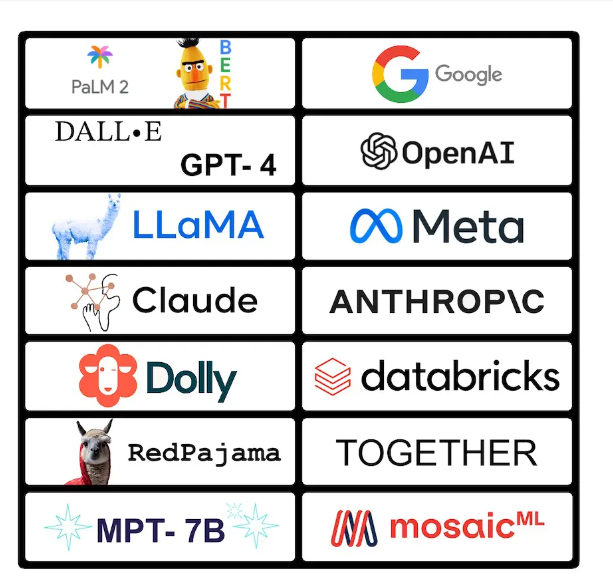
AI models are computer programs that learn from data. They look for patterns and make predictions. Think of AI models like smart helpers. Additionally, they improve by learning from examples. One common type is called a neural network. Then, it works like a brain with layers of neurons. Each layer processes information and passes it on. Neural networks are good at recognizing images and speech.
Why Use AI Models?
Additionally, AI models can handle large data quickly. They help you make better decisions based on facts. For example, banks use AI to detect fraud. Moreover, businesses use AI to understand customers better. AI also automates boring tasks, saving time. Many industries use AI to solve hard problems.
Step 1: Know Your Problem
Before using AI, know what you want to solve. Ask yourself: What is my goal? For example, “I want to predict if a customer will buy.” Clear goals help you find the right data and model. Then, write down your problem in simple words.
Step 2: Collect and Prepare Data
Good data is the base of AI models. Collect data that matches your problem. It can come from websites, sensors, or databases. After collecting, clean your data. Then, remove mistakes and duplicates. Fix missing values. Clean data helps the model learn better. Also, make sure your data is in the same format. Then, label your data if you use supervised learning. Labels tell the AI the right answers.
Step 3: Choose the Right Model
Moreover, pick a model that fits your task. Here are some common types:
- Firstly, neural networks: Good for images and speech.
- Secondly, decision trees: Easy to understand and use.
- Thirdly, support vector machines: Work well with small data.
- Fourthly, K-nearest neighbors: Simple and effective.c
- Finally, clustering: Group data without labels.
If unsure, start with simple models. You can try complex ones later.
Step 4: Split Your Data
Divide your data into parts. Use 70-80% for training your model. Use 20-30% for testing it. Moreover, Training data teaches the model. Testing data checks if the model works well. Sometimes, use validation data to tune the model.
Step 5: Train Your Model
Training means teaching the AI with your data. The model learns by adjusting itself. You can use tools like TensorFlow or PyTorch. Then, training may take time, depending on the data size. Watch the training progress carefully. If the model does not improve, check your data or settings.
Step 6: AI Models Check Model Accuracy
After training, test your model’s accuracy. Use testing data to see results. Common ways to measure accuracy include:
- Accuracy: How many predictions are correct?
- Precision: How many predicted positives are true?
- Recall: How many actual positives were found?
- F1 Score: Then, a Balance between precision and recall.
Furthermore, choose the right metric for your problem.
Step 7: Tune Your Model
Change the settings called hyperparameters to improve results. Examples include learning rate and batch size. Then, try different values to find the best fit. This step needs patience and testing.
Step 8: Use and Watch Your Model
Once your model works well, use it in real life. For example, add it to a website or app. Then, keep checking the model’s performance over time. If it gets worse, retrain it with new data.
Common Problems and Fixes
AI models can face some issues. Here are a few and how to fix them:
- Bad data: Firstly, clean and check your data carefully.
- Overfitting: Secondly, the Model learns the training data too well. Use regularization and a proper data split.
- Bias: Thirdly, the model might learn unfair patterns. Use diverse data and test fairness.
- Slow training: Then, use better hardware or cloud services.
AI Models: Tools to Help You Start
Additionally, many tools make AI easy. Try these:
- Google Colab: Free online coding platform.
- TensorFlow and Keras: Build neural networks.
- Scikit-learn: For simple machine learning.
- Microsoft Azure AI: Cloud AI services.
- IBM Watson: Then, AI tools for business.
AI Models: Frequently Asked Questions (FAQ)
Q1: Do I need coding skills to use AI?
No. Some tools let you build AI without coding.
Q2: What is supervised learning?
It means the AI learns from labeled data.
Q3: How much data do I need?
More data is better. Then, start with thousands of examples.
Q4: Can AI models improve over time?
Yes. Retrain them with new data regularly.
Q5: What if my model is not accurate?
Check your data, then try other models or tune settings.
Q6: How long does training take?
It depends on data size and model complexity.
Q7: Can AI replace humans?
AI helps humans but does not replace judgment.
Final Tips
Finally, using AI models is easier than you think. Start by understanding your problem. Then, collect good data and pick a simple model. Train and test your model carefully. Tune it to improve results. Finally, put your model to work and watch it closely.
Furthermore, AI is a tool to help you make better decisions. Keep learning and practicing. Soon, you will master AI models and use them with confidence.