
Introduction
Are you holding a Kodak digital camera but unsure how to make the most of it? Whether you’re a beginner or looking to refine your skills, this guide will walk you through everything from basic setup to advanced shooting techniques.
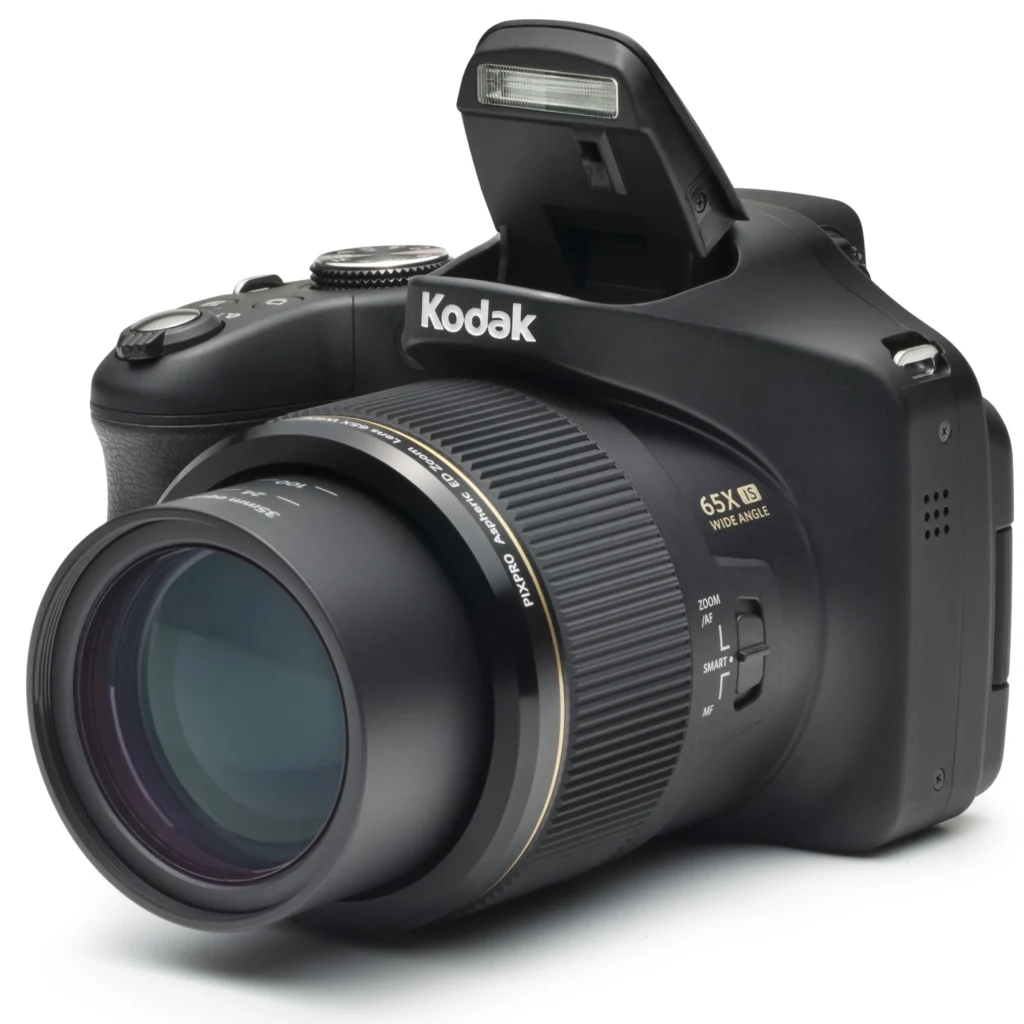
Getting Started with Your Kodak Camera
Do you have a new Kodak digital camera? Great! These cameras make taking photos easy. Let me show you how to use yours step by step.
First, open the box. You’ll find:
- Firstly, the camera
- Secondly, A battery (or AA batteries)
- Thirdly, A USB cable
- Then, A wrist strap
- Finally, A manual
Setting Up Your Kodak Camera
- Firstly, put in the battery
Find the battery slot on the bottom. Please open it and insert the battery the right way. - Secondly, charge it up
Plug in the USB cable to charge. A full battery lasts longer. - Thirdly, add a memory card
Some Kodak cameras need an SD card. Put one in for extra storage. - Then, could you turn it on?
Furthermore, press the power button. Set the date and time when asked.
Tip: Always format your memory card in the camera first. This prevents problems.
Kodak Camera: Learning the Controls
Kodak cameras are simple to use. Here’s what the buttons do:
- Firstly, Shutter button: Press halfway to focus, all the way to take a photo
- Secondly, Mode dial: Change between auto, portrait, landscape, etc.
- Thirdly, Zoom buttons: Get closer (T) or wider (W)
- Fourthly, Menu button: Change settings
- Then, the Play button: See your photos
Helpful Settings
- Image quality: Higher quality means bigger files
- Flash: Turn it on or off as needed
- Brightness: Make photos lighter or darker
Try this: Use portrait mode for nice people photos. The background will look blurry.
Taking Great Photos with a Kodak Camera
Lighting Tips
- Use natural light when you can
- Morning and evening light look best
- Avoid dark shadows on faces
Photo Framing
- Imagine a tic-tac-toe grid. Put your subject where the lines cross
- Get close to fill the frame
- Use lines like roads to lead the eye
Using Zoom
- Optical zoom keeps the quality good
- Digital zoom makes photos fuzzy
- Move closer instead of zooming too much
Getting Photos Off Your Kodak Camera
USB Cable Method
- Firstly, plug the camera into the computer
- Secondly, open your photos folder
- Thirdly, find the DCIM folder and copy photos
Memory Card Method
- Firstly, take out the SD card
- Secondly, put it in a card reader
- Then, copy photos to your computer
Newer cameras? Some can send photos wirelessly with the Kodak app.
Common Questions about Kodak Cameras
Why are my photos blurry?
- Your hands might be shaking (try holding steady)
- It might be too dark (use flash or more light)
- The lens could be dirty (clean it gently)
How can I make the battery last longer?
- Firstly, turn off the screen when not using it
- Secondly, use flash less often
- Then, carry an extra battery
Can I take videos?
Yes! Most Kodak cameras can record video. Look for the movie mode.
Fixing Problems
Camera won’t turn on?
- Firstly, check if the battery is charged
- Secondly, try taking the battery out and putting it back in
Memory card error?
- Format the card in the camera
- Try a different card
Photos too dark or bright?
- Adjust the brightness setting
Final Tips
Now you know how to use your Kodak camera! Remember:
- Practice with different settings
- Take lots of photos to improve
- Back up your favorite pictures
Need more help? Ask your questions below!